Reliable document references without the manual overhead
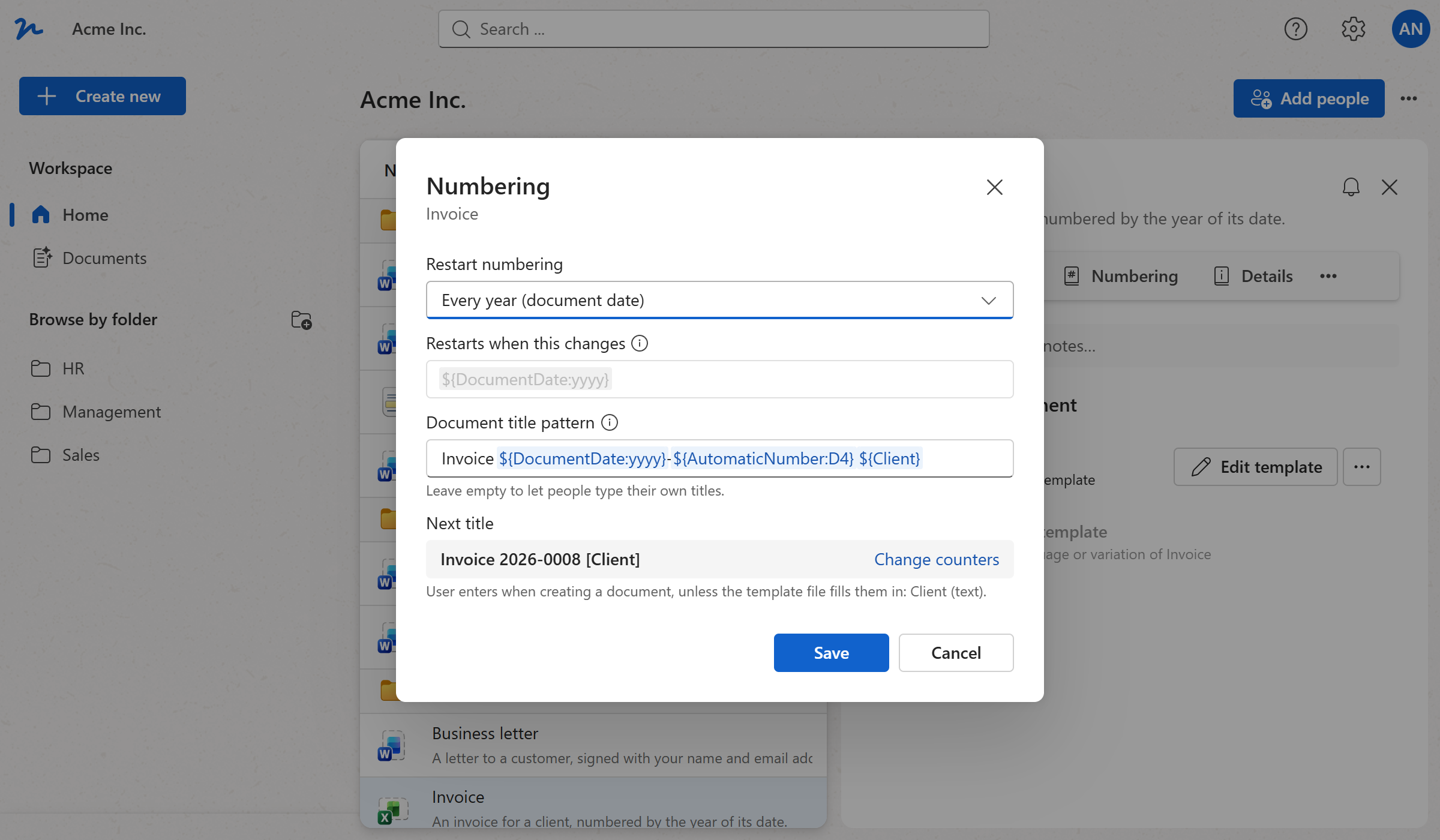
- Decide when the count restarts (never, every year or month, by the document's own date, or on a value of your own such as the department), and WordFields keeps a counter for each and hands out the next number as the document is created.
- Build the document's title from a pattern, Invoice 2026-0013 Blue Harbor Ltd. from the year, the padded number and the client's name, so every document is named the same way, whoever creates it, and the dialog shows you the next title before you save.
- A sequential, predictable archive is straightforward to reference in audits, contracts and compliance reviews. When a number has to be skipped or a sequence continued from elsewhere, the counters are a click away.