How small HR teams manage recruiting, hiring, and people operations consistently without enterprise HRIS complexity, a practical guide to the documents, processes, and templates that keep HR running professionally as headcount grows.
Small HR teams carry a disproportionate load. A single HR manager at a 50-person company runs recruiting, onboarding, performance management, and compliance simultaneously — often without dedicated tools for any of them.
The result: documents created ad hoc, stored inconsistently, varying in quality depending on who produced them and how much time they had. The risks are operational (inconsistent employee experiences) and legal (missing or unsigned documentation creates exposure in disputes and audits).
The solution is not a complex HRIS implementation. It is standard templates for the documents your team produces repeatedly, stored in one place, with the variable fields handled systematically.
Note
This guide focuses on HR document management. HR strategy and employment law require specialist advice specific to your jurisdiction.
Recruiting
The documents where inconsistency causes the most damage are the rejection email and the offer letter.
Rejection emails are sent to the majority of candidates yet treated as low-priority. A poorly worded rejection — or no response at all — damages employer brand. A well-structured job rejection email takes 30 seconds to generate and leaves the candidate with a professional final impression.
Three variants cover most situations: post-application without interview, post-first interview, and post-final interview. All three should acknowledge the candidate's time and communicate the decision clearly.
Offer letters carry the highest legal weight of any recruiting document. Generate from a template reviewed by legal counsel — not drafted from scratch for each hire. An offer letter template ensures every offer contains the same core terms: position, compensation, start date, contingencies, at-will statement.
Tip
Send rejection emails within 48 hours. Candidates left waiting are more likely to share their experience publicly than those who received a fast, professional response.
Onboarding
Every stage of onboarding requires specific documents. Producing them consistently requires templates.
The onboarding document set for each new hire:
- Offer letter — sent at verbal acceptance
- New employee welcome letter — sent after acceptance, before the start date
- New employee welcome email — sent on or just before day one
- New employee first-day checklist email — logistics, sent 3-5 days before the start date
- HR onboarding checklist — the internal process checklist covering pre-arrival through the first month
Managed as templates with fillable fields, a full set of onboarding documents takes minutes to generate rather than an hour of drafting.
For a full walkthrough of the onboarding process, see the employee onboarding guide.
Performance management
Performance management is where documentation most directly affects legal risk. When a termination is disputed, the question that determines the outcome is: what is the documented record?
The performance review template covers annual and mid-year reviews with a structured format — competency assessment, goals review, overall rating, goals for the next period, and a signature block. The signature block matters: a review discussed but not signed is harder to rely on.
For HR teams managing reviews across multiple managers, template-driven reviews standardise the rating framework and documentation level — making the overall process defensible.
Warning
Do not conduct significant performance conversations without a written record. Every conversation of substance should generate a written record, even if it is a brief email summary sent immediately after.
Reference letters
Reference requests are often handled inconsistently, some managers write detailed personal references, others provide only factual employment confirmation. Inconsistency across the business creates risk.
The employment reference letter provides a structured format for a factual reference, confirming employment dates, job title, and key responsibilities without subjective assessments. This is the defensible approach: consistent across all employees, factual rather than evaluative.
Define a reference policy and communicate it to managers, specifying who is authorised to provide references and what can and cannot be included.
Document storage
HR documents need to be accessible to HR, protected from unauthorised access, and retrievable when needed. In most small businesses they are stored inconsistently — some in a shared drive, some in email, some nowhere at all.
The practical standard for most small teams is OneDrive or SharePoint in Microsoft 365. Both give you centralised storage, access-controlled folders, and consistent structure across every employee record. SharePoint works better for teams where multiple people need to manage the same folder structure; OneDrive suits smaller HR teams where one or two people own the documents.
WordFields connects directly to both. Documents generated from HR templates are automatically saved to your connected OneDrive or SharePoint folder — no manual downloading and uploading required.
Summary: core HR documents and templates
| Process | Documents needed | Templates |
|---|---|---|
| Recruiting | Rejection emails for each stage | Job rejection email |
| Hiring | Offer letter | Offer letter |
| Onboarding | Welcome letter, welcome email, first-day checklist, onboarding checklist | Welcome letter, Welcome email, First-day checklist email, Onboarding checklist |
| Performance management | Annual and mid-year reviews with signature | Performance review |
| References | Factual employment reference | Employment reference letter |
Managing HR documents in WordFields
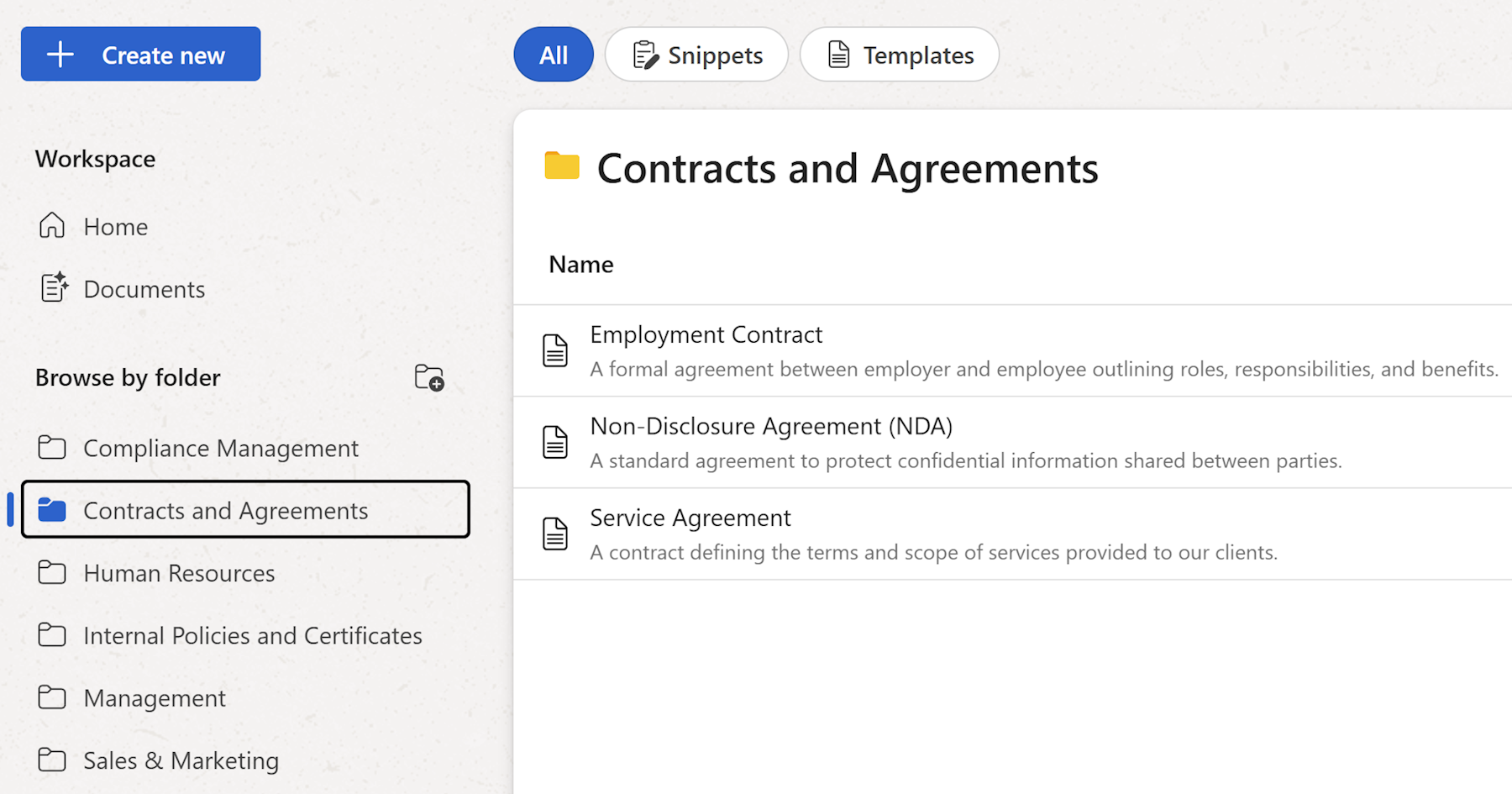
HR documents have a consistent structure and variable content, exactly the pattern WordFields is built for. Upload your offer letter, welcome letter, performance review, and reference letter templates, add merge fields for the employee-specific parts, and generate a complete, correctly formatted document in under a minute.
When a template needs updating, a new clause in the offer letter, a revised rating scale in the performance review, update it once and every subsequent document uses the new version automatically.
Tip
See WordFields for teams and businesses to learn how to set up a shared workspace for your HR document templates, or get started for free now.