A practical guide to managing contracts from first draft to renewal or termination, without expensive CLM software. How small and mid-sized teams handle contract lifecycle management using structured document templates and a shared workspace.
Most businesses manage contracts well when there are only a handful to track. The problems start when the business grows — more suppliers, more clients, more agreements, and no single system holding any of it together.
Contract lifecycle management (CLM) is the process of controlling documents from creation to the end of the relationship they govern. Enterprise teams buy dedicated CLM software. Small and mid-sized businesses need a structured process and the right templates in the right place.
Note
This guide is written for operations managers, legal leads, and business owners responsible for how contracts are created, stored, and managed across the organisation.
Creation
Most contract errors trace back to the same source: drafting from memory, from a Google search, or by editing last month's signed agreement. Each approach introduces risk — outdated clauses, wrong party names, missing fields.
Every contract type your business uses regularly should be a template. The standard text stays fixed. Variable parts, party names, dates, amounts, scope, become fillable fields completed fresh each time.
Core contract templates to build first:
- Non-disclosure agreement — before sharing confidential information
- Service agreement — for ongoing client or supplier relationships
- Freelance contract — for project-based contractor engagements
- Statement of work — for defining deliverables once a service agreement is in place
- Letter of intent — before terms are finalised
Store templates in a shared workspace. The person generating the contract fills in a form, they never edit the source document directly.
Review and approval
Approval steps are frequently skipped or handled informally, a Slack message, a verbal confirmation, leaving no audit trail and no certainty the right person reviewed the final version.
A workable approval process:
- Generate a draft from the template form.
- Send to the relevant approver with a clear deadline.
- Any changes go back through the template, not directly into the draft.
- Once approved, send for signature.
Use the approval request email template to standardise internal approval requests.
Tip
Add notes to each contract template explaining what to check before generating — key clauses, approval requirements, and jurisdiction-specific considerations.
Execution
Once approved, a contract needs to be signed by all parties and stored somewhere retrievable, two steps that are routinely mishandled.
File every executed contract the moment it is signed. Record the start date, end or renewal date, counterparty name, contract value, and the internal owner. Without these fields tracked systematically, renewal dates get missed and contracts lapse unnoticed.
Ongoing management
A signed contract is the beginning of an obligation. Someone needs to make sure those obligations are met.
For supplier contracts, run structured performance reviews using the supplier feedback email template, quarterly for significant suppliers, annually for routine ones.
For client contracts, the statement of work is the reference for what was agreed. Any proposed changes should go through a formal change request, not informal agreement.
Warning
Never amend a contract by editing the original signed document. Amendments should be separate documents referencing the original and specifying what is being changed.
Renewal or termination
The most expensive contract management failure is missing a renewal date. Auto-renewal clauses continue contracts automatically, often on unfavourable terms with suppliers you no longer need.
Set a reminder 60-90 days before every contract end date. That window gives time to review the relationship, negotiate new terms, or issue formal notice.
For renewal, use the contract renewal notice. For termination, use the contract termination letter, most contracts require 30-90 days written notice. For outstanding payments before termination, the late payment notice documents the obligation formally.
Tip
Assign a named owner to every contract. When someone leaves the business, their contracts need to be reassigned immediately.
Summary: contract lifecycle stages and templates
| Stage | What happens | Templates |
|---|---|---|
| Creation | Draft from approved template with fillable fields | NDA, Service agreement, Freelance contract, SOW, Letter of intent |
| Review and approval | Approver reviews draft before it goes out | Approval request email |
| Execution | Signed by all parties, filed with key dates recorded | |
| Ongoing management | Obligations tracked, performance reviewed | Supplier feedback email, SOW |
| Renewal | Formal notice sent 60-90 days before end date | Contract renewal notice |
| Termination | Formal written notice within required period | Contract termination letter, Late payment notice |
Setting up contract management in WordFields
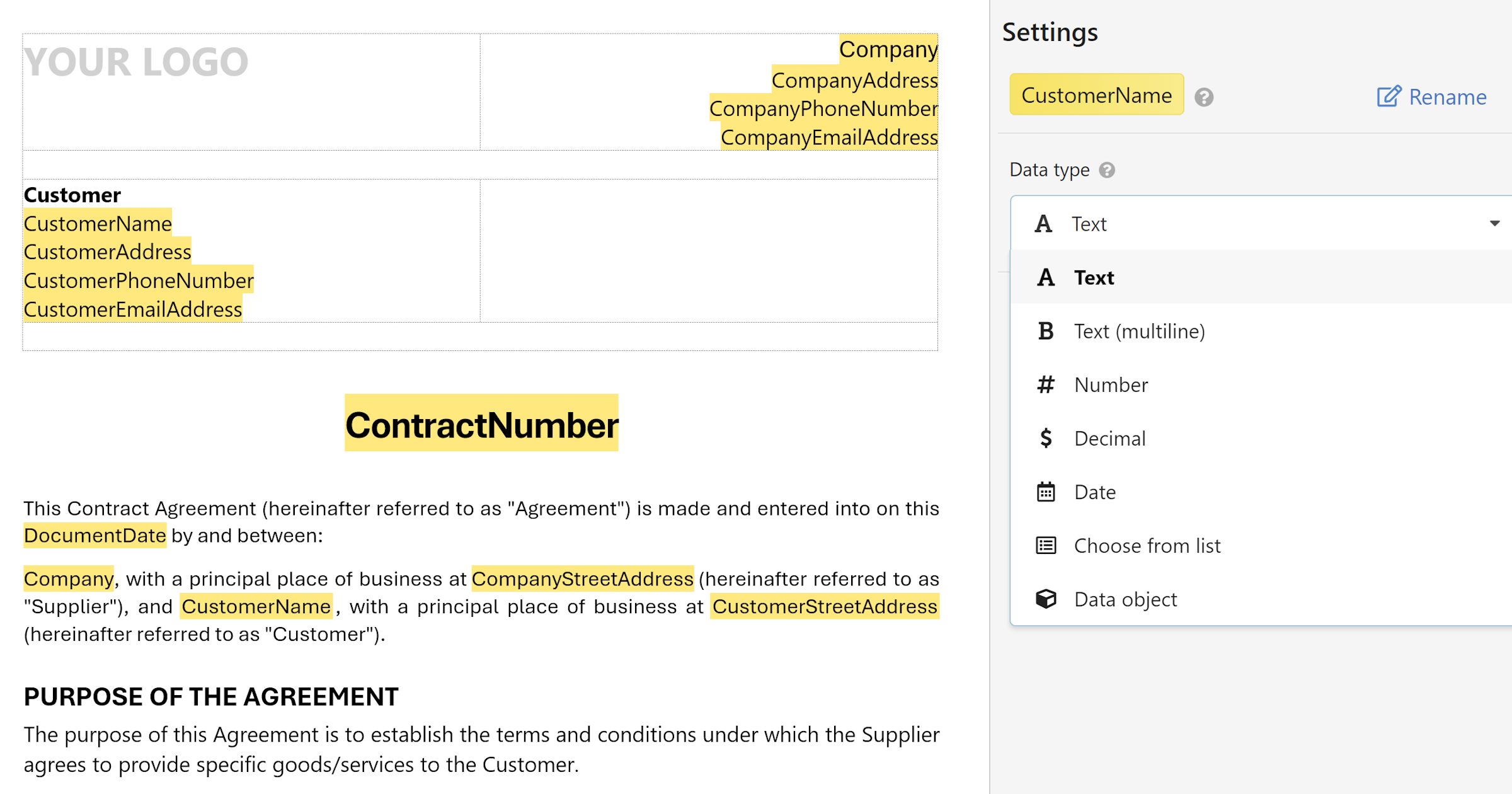
WordFields handles the creation stage of the contract lifecycle, where the risk of errors is highest and the time cost of drafting from scratch is greatest.
Upload your approved contract templates, add merge fields for the variable parts, and store them in a shared workspace. Anyone who needs to generate a contract fills in a form and downloads a correctly formatted document. The source template stays intact.
Tip
See WordFields for teams and businesses for a full walkthrough of how to set up a shared workspace for your contracts and documents, or get started for free now.