How to use WordFields to meet ISO 9001:2015 requirements for documented information — covering template control, access permissions, version management, and consistent communication.
ISO 9001:2015 places specific requirements on how organizations create, control, and distribute documented information. In practice, this means having a reliable answer to three questions at any given moment: Is everyone using the current approved version of a document? Can you prove that only authorized people can change it? And is your team producing documents consistently, without errors introduced by manual copying and editing?
WordFields is built around exactly these requirements.
Note
This guide is written for quality managers and workspace admins responsible for setting up document control in WordFields. You will need the Admin role to complete most of the steps below.
Clause 7.5 — Control of documented information
ISO 9001:2015 Clause 7.5 requires that documented information is available, suitable for use, and adequately protected. It must be controlled for distribution, access, retrieval, and changes.
Centralize all templates in one workspace
The most common compliance failure is documents living in multiple places — shared drives, personal desktops, email attachments — with no way to know which version is current. WordFields solves this at the structural level by keeping every template in a single shared workspace.
- Create a folder structure that reflects your document categories — for example,
Quality Records,Contracts,HR Documents,Procedures. - Upload your approved Word or Excel documents as templates using + Create new > Word template or Excel template.
- Move each template into the appropriate folder.
- Remove any other copies of those documents from circulation and direct your team to WordFields as the only source.
Once a template is in WordFields, team members generate new documents by filling out a form — they never edit the source file directly. This is the single most effective change you can make for Clause 7.5 compliance.
Tip
Add notes and field descriptions to each template explaining what information belongs in each field. This reduces errors in completed documents and provides built-in instructions for new team members.
Control who can change templates
Clause 7.5.2 requires that documented information is adequately protected from loss of confidentiality, improper use, or loss of integrity. In WordFields this is handled through roles and folder permissions.
- Admins can create, edit, and delete any template in the workspace.
- Managers can create and edit templates in folders assigned to them.
- Members can only fill out forms and generate documents — they cannot modify a template.
Assign roles carefully so that only the people responsible for maintaining each document type have editing access. Use groups to manage this at scale — create a group for each team or department, assign the group to the relevant folders, and update group membership when people join or leave.
Warning
Avoid giving the Manager role to users who only need to generate documents. Members cannot accidentally modify a template — Managers can.
Prevent use of outdated versions
When a template is updated in WordFields — a new clause added to a contract, a revised procedure, an updated form — the change takes effect immediately for everyone. There are no local copies to hunt down and no emails to send asking people to use the new version.
To update a template:
- Open the template in the template editor.
- Click Upload in the template toolbar to upload a revised version of the source file.
- Confirm the upload — your existing merge fields are preserved automatically.
- Save the changes.
From that point on, every document generated from the template uses the updated version. Previous documents already generated are unaffected.
Note
WordFields does not currently provide a formal version history log. If your QMS requires a documented record of template changes, maintain a change log as a separate document or within the template's notes field.
Clause 7.4 — Communication
ISO 9001:2015 Clause 7.4 requires that the organization determines the internal and external communications relevant to its quality management system — including what to communicate, when, to whom, and how.
Standardize recurring communications with snippets
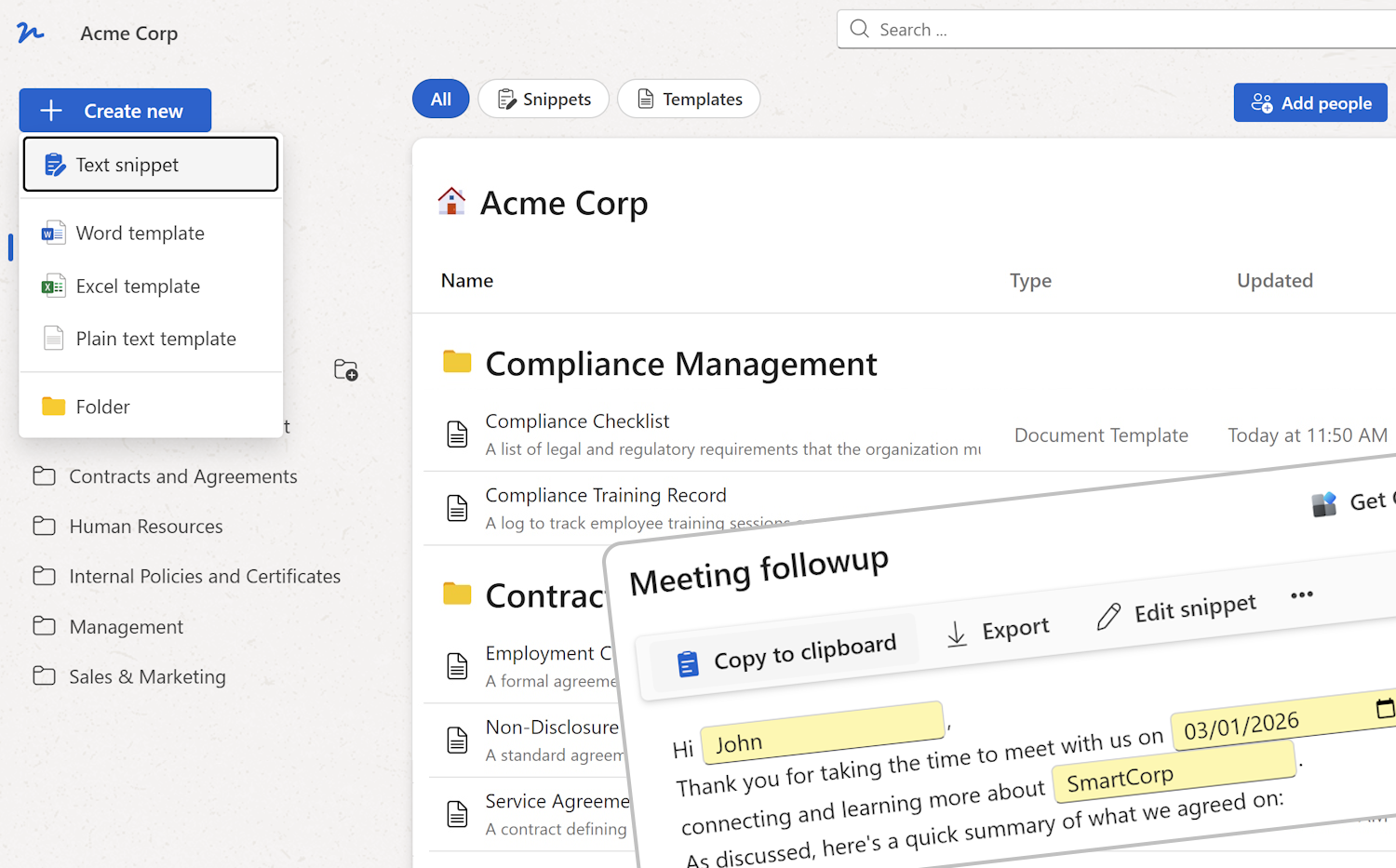
Inconsistent communication is a common audit finding. When different people write the same type of message from scratch each time, the content, tone, and accuracy vary. WordFields text snippets solve this by giving your team approved, reusable content for recurring communications.
Common use cases for a QMS include:
- Nonconformance notifications
- Supplier communication templates
- Customer complaint acknowledgements
- Internal procedure update announcements
- Audit preparation reminders
To create a snippet:
- Click + Create new and select Text snippet.
- Write the approved content and add fillable fields for the variable parts — recipient name, date, reference number, and so on.
- Save it to the appropriate folder with a clear, descriptive name.
Team members can copy the completed snippet to their clipboard with one click, or insert it directly into their email client using the Text Snippets & Templates Chrome extension.
Tip
Use merge tags like My:FullName and Organization:Name so each message is automatically signed with the sender's name and your organization's name — no manual editing required.
Keep supervisors informed with document notifications
For documents where a supervisor or quality manager needs to know when a new one has been created — a nonconformance report, a corrective action form, a new supplier agreement — WordFields can automatically notify subscribed recipients each time a document is generated from a template.
This supports Clause 7.4 by ensuring the right people are informed at the right time, without relying on the document creator to remember to send a notification.
Note
Notification subscriptions are configured per template. Contact your workspace Admin to set this up for any templates where oversight is required.
Clause 6.1 — Actions to address risks and opportunities
Standardized templates and controlled access directly support risk reduction under Clause 6.1. When everyone generates documents from the same approved templates rather than editing old copies, the risk of errors, omissions, and noncompliant content is significantly reduced.
Specific risk mitigations WordFields provides:
- Required fields prevent documents from being generated with missing information.
- Field validation ensures the right type of data is entered — dates, numbers, selections from approved lists.
- Folder permissions prevent unauthorized users from editing or deleting approved templates.
- Centralized storage means there is always one authoritative version of every document.
Summary — ISO 9001:2015 requirements covered by WordFields
| Clause | Requirement | How WordFields addresses it |
|---|---|---|
| 7.5.1 | Documented information available and suitable for use | Centralized workspace, accessible to all authorized users |
| 7.5.2 | Protection of documented information | Role-based access, folder permissions, Members cannot edit templates |
| 7.5.3 | Control of changes | Only Admins and Managers can update templates; changes take effect immediately |
| 7.5.3 | Prevention of unintended use of obsolete documents | No local copies; all documents generated from the current template |
| 7.4 | Consistent communication | Standardized snippets for recurring messages with fillable fields |
| 6.1 | Risk reduction | Required fields, validation, and access controls reduce document errors |