Documents that do the thinking for you
- Fields come in five kinds: text, number, date, select and toggle. Each has a hint, a default, an allowed range or a list of options, and a format for how the value appears, such as a long date, two decimals or capitals. A required field can't be skipped; a named field repeats wherever it is referenced.
- Merge tags fill themselves in: the document's date and number, the author, the organization, shared workspace values such as the company address or bank account. Change a shared value once and every template has it.
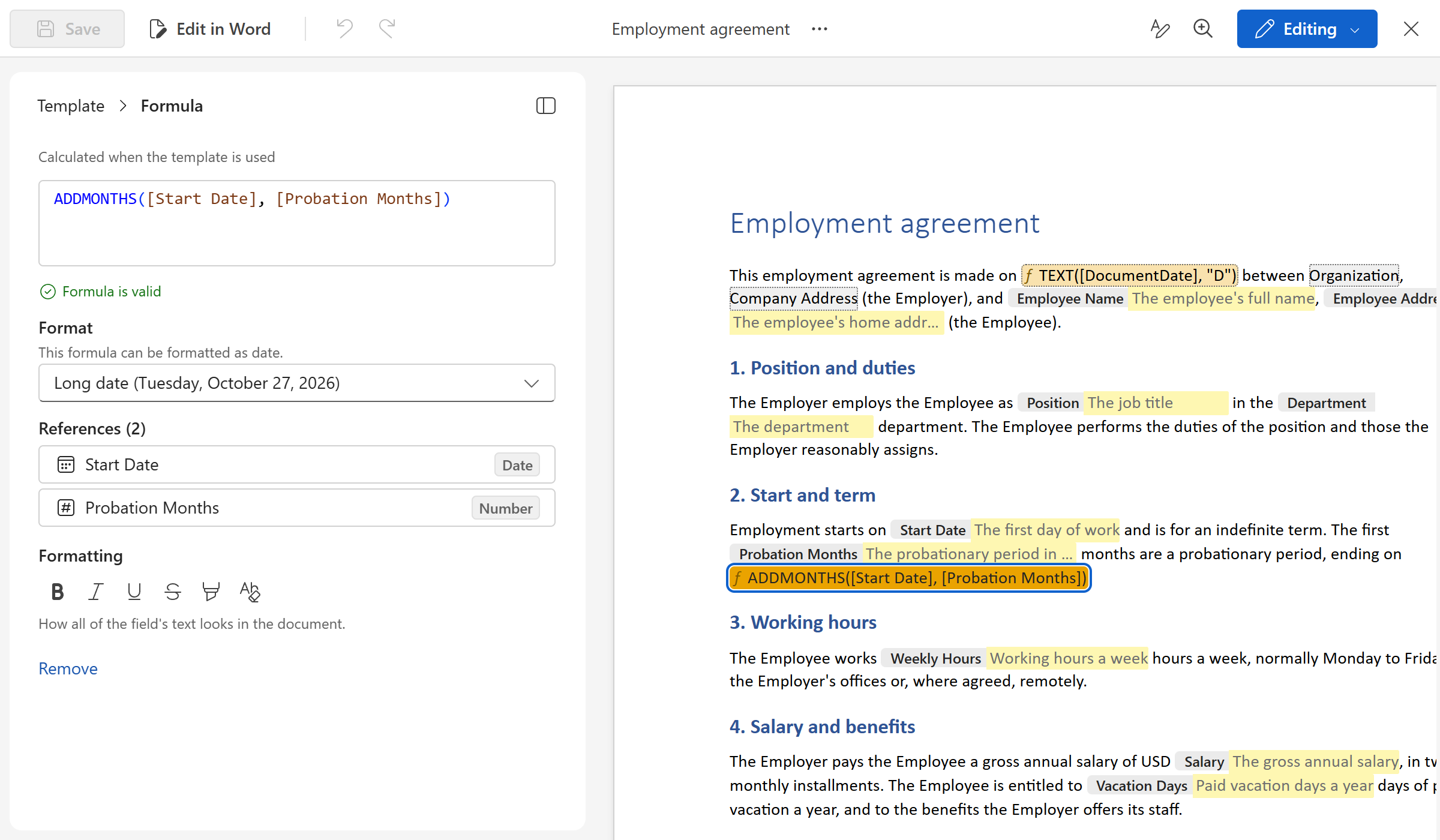
- Formulas use familiar, Excel-like functions to calculate from the fields: a due date thirty days after the document's date, a probation that ends three months after the start, a total with a discount applied, a sentence that reads one way when a toggle is on and another when it is off. Each formula is checked as you write it, with the fix offered when something is missing.
Next up: An AI assistant that drafts, finds the fields and fills in the form