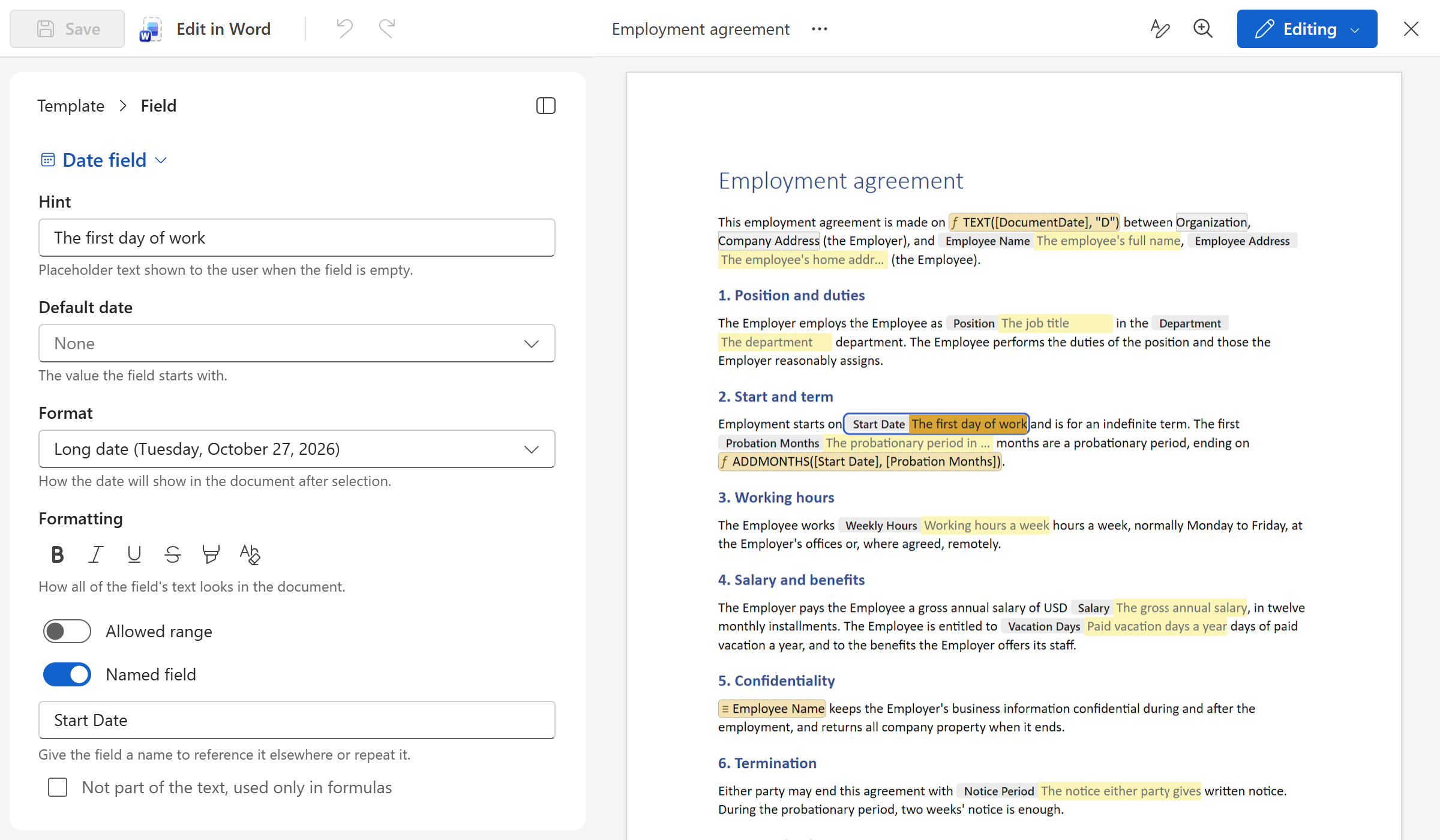
Your documents, ready as templates
- Open any Word or Excel file and WordFields keeps it exactly as it is. Fonts, spacing, tables, headers, page breaks, and all formatting stay intact; the editor shows the document as Word lays it out.
- Select a piece of text and make it a field with a click: a name, a date, an amount, a choice from a list. Give it a hint, make it required, let it repeat wherever the same value belongs. Or let the AI assistant read the document and put the fields in for you.
- Need to change the layout later? Take the file to Word or Excel with one click, edit it there, and drop it back, and every field stays where it was. Your team never notices; the next document they create is simply the new version.
Next up: Fields, merge tags and formulas