A document register is a list of every document your organization issues, one line each: its number, what it is, who it's for, when it was created, by whom, and where the file is. It answers the questions that otherwise cost an afternoon, such as did we send Northwind a quote in March, and for how much? You can keep one in a spreadsheet today. The work is in keeping it complete, which is what the second half of this article is about.
What does a document register record?
Seven columns are enough for most teams. More than ten, and people stop filling it in.
| Column | Example | Notes |
|---|---|---|
| Number | Quote 2026-0147 |
Unique, from your numbering system |
| Title | Quote for warehouse shelving | What it is, in plain words |
| Kind | Quote | Or the template it was made from |
| For | Northwind Supply | Customer, supplier, employee |
| Document date | 2026-11-12 | The date on the document |
| Created by | Emily Carter | The person, not the department |
| Location | Link to the file | Where the final version is kept |
Useful additions, if you need them: a status (draft, sent, signed, void), the amount for quotes and invoices, and for contracts the end date, so that renewals can be sorted out of the list.
Record the date in year-month-day order. It sorts correctly as text and can't be misread between American and European habits.
Who needs one?
Any team where more than one person issues documents, and especially:
- Sales, to see which quotes are out and which were followed up.
- Contracts and legal, to know what was signed, with whom, and when it ends.
- HR, for offer letters, contracts and formal notices.
- Quality, where a standard such as ISO 9001 expects documents to be identified and controlled. A register, often called a master document list, is how most small organizations show it. More in our article on ISO document control.
The register is also what makes a numbering system work: the next number is whatever follows the last line.
How do you set one up in a spreadsheet?
- Create one sheet per kind of document, or one sheet with a Kind column if the volumes are small.
- Add the columns above and freeze the header row.
- Format the list as a table (in Excel, Insert → Table), so it can be filtered by customer, author or month.
- Limit the choices for Kind and Status to a list (in Excel, Data → Data Validation), so the filter doesn't split on spelling.
- Put it where everyone can open it, on SharePoint, OneDrive or a shared drive, and make it a rule that the line is added before the document goes out.
Give the sheet an owner. A register that belongs to everyone is updated by no one.
Why do registers go out of date?
A spreadsheet register fails in the same way everywhere. Filling it in is a second task after the real one, creating the document, and under pressure the second task is skipped.
- The quote goes out at 5:55 pm; the line is added "tomorrow".
- Someone copies an old document and guesses the next number.
- The file is saved to a desktop, and the Location column says "shared drive".
- Two people add a line at the same moment and take the same number.
After a few months the register is nearly complete, which is the worst state: complete enough to be trusted, incomplete enough to be wrong.
How do you keep it complete without the extra step?
Take the second task away: let the record be made by the act of creating the document.
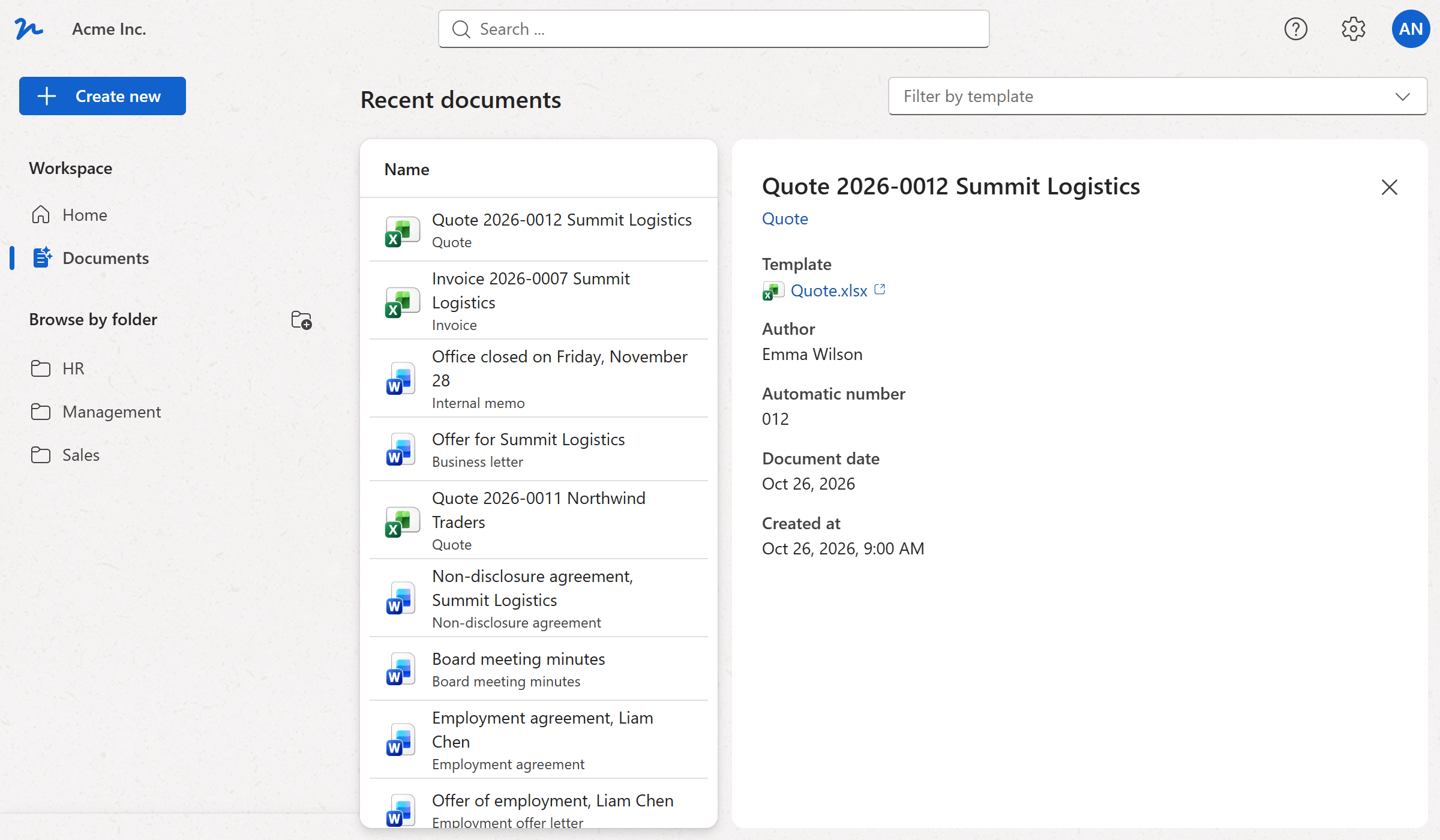
That is how document records work in WordFields. Your team creates each document from a template by filling in a form, and the workspace keeps a record of every one: its title, its automatic number, the template it was made from, who created it, the document's date and when it was created. The list is newest first and can be filtered by template.
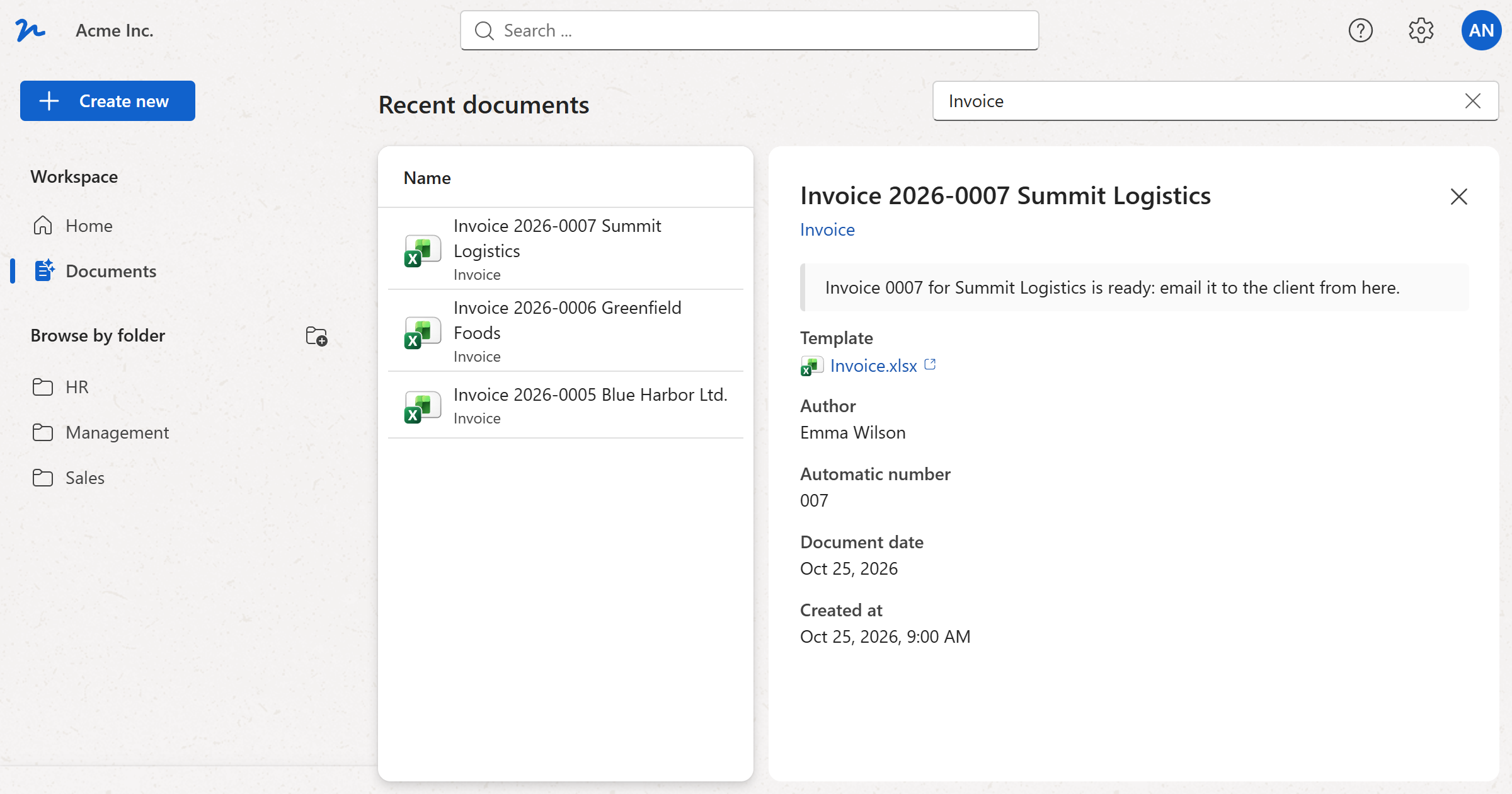
Two details matter for a register. The record is of the document, not a copy of it: the file is downloaded to the person's device or, with OneDrive or SharePoint connected, saved there, and the record links to it. And anyone who needs to know can be told by email each time a document is created from a template.
There is nothing to remember, so there is nothing to forget. The help center has the details under generated documents.
Frequently asked questions
What is the difference between a document register and a document management system?
A register is a list: one line per document, saying what it is, when it was issued, by whom and where the file is kept. A document management system stores the files themselves and controls access and versions. A small team can run on a register and an ordinary shared drive; a larger one usually has both.
Does ISO 9001 require a document register?
Not by that name. ISO 9001 asks you to control your documented information: to identify it, keep it available where it is needed, and manage its distribution, storage, changes and retention. A register, often called a master document list, is the most common way small organizations show that they do.
Which documents should go in the register?
Every document that leaves the company or commits it to something: quotes, contracts, invoices, purchase orders, offer letters, formal notices and certificates. Internal working drafts and emails don't belong there. A useful test is whether anyone could later ask 'did we send that, and what did it say?'
How long should a document register be kept?
At least as long as the documents it lists. Retention periods depend on the kind of document and on your country's rules; financial and employment documents commonly have to be kept for several years. The register itself is small, so most organizations simply keep it for good.