Shared email templates that your team actually uses

One shared workspace for every email your team sends repeatedly. Mark the variable fields once, and anyone on your team can fill and send in seconds — from any email client.

Get Started for Free

Free for individuals. $4.99 per user/month for teams.

⭐⭐⭐⭐⭐   Featured on Chrome Web Store  

Shared email templates with fillable fields for your whole team with WordFields

🔒 Privacy first · We store your templates, not what you fill into them! Sensitive data does not stay on our servers.

How email templates work in WordFields

Build the template once

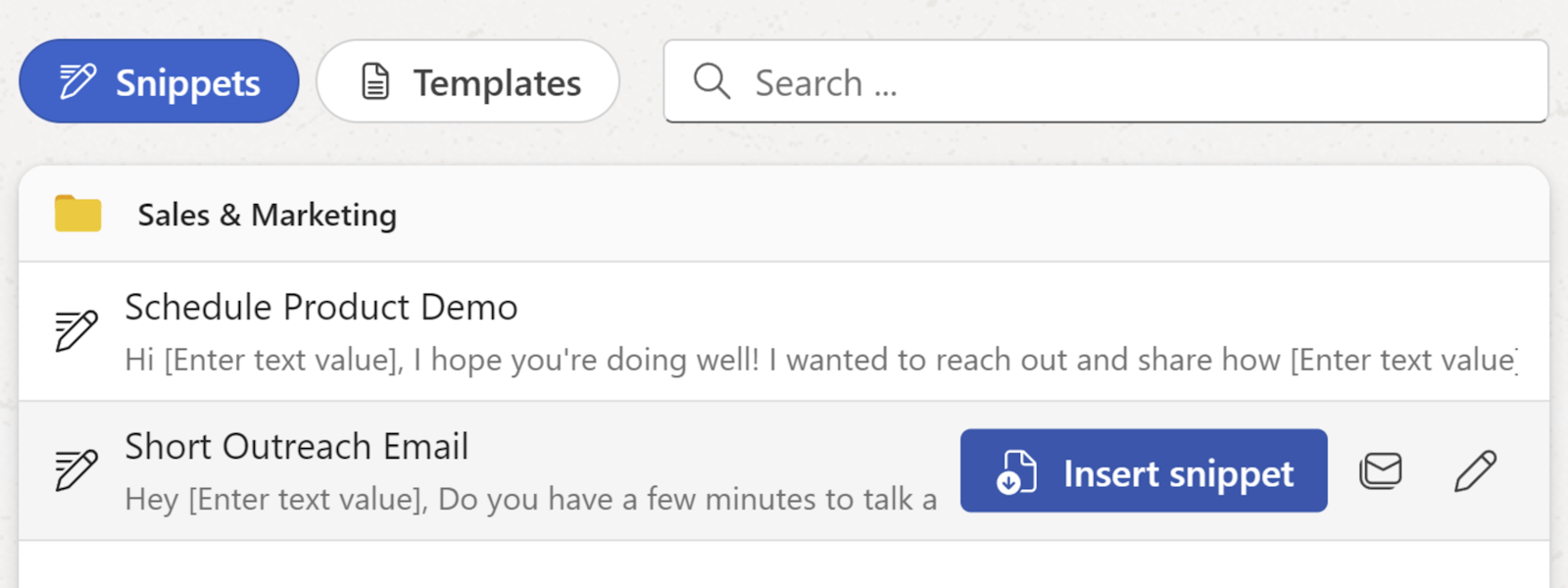
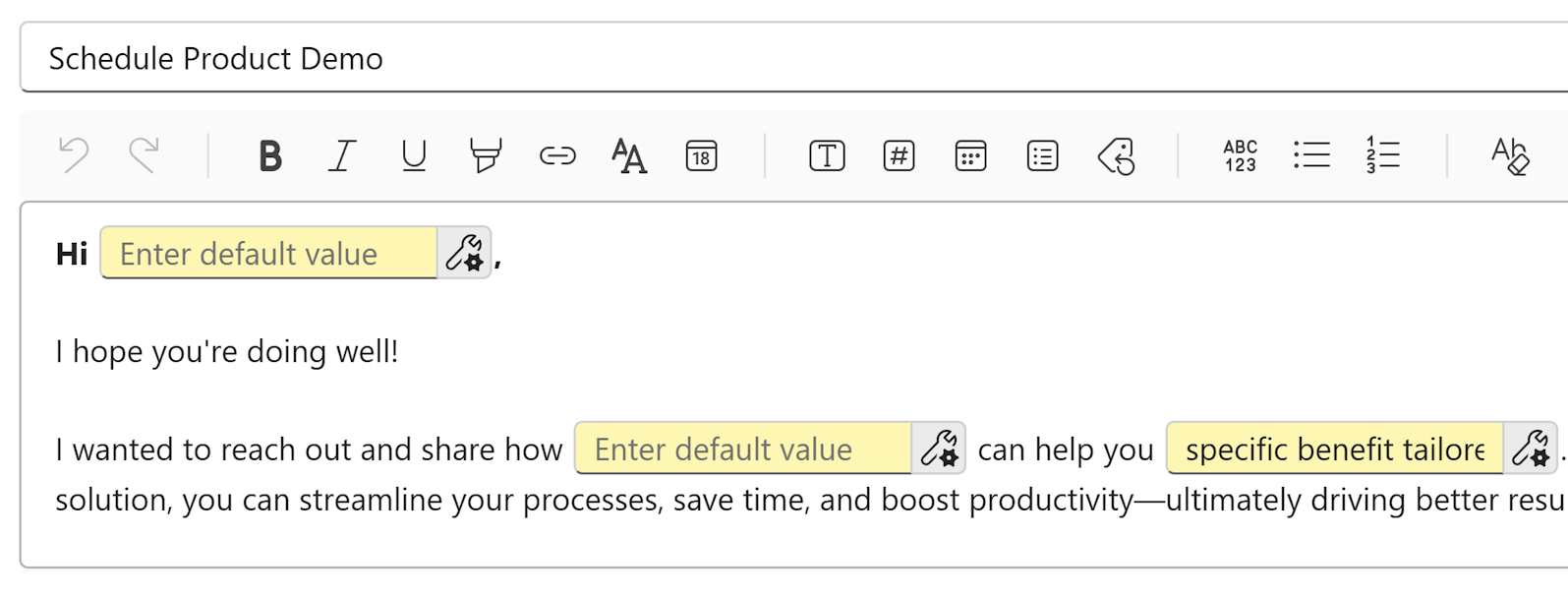
Write the email your team sends repeatedly. Mark the parts that change — recipient name, date, case number, custom detail — as fillable fields. Save it to a shared workspace folder. Your whole team has access to it immediately. Admins control who can edit the source template and who can only use it.

Create a shared email template with fillable fields in WordFields.

Fill in what changes

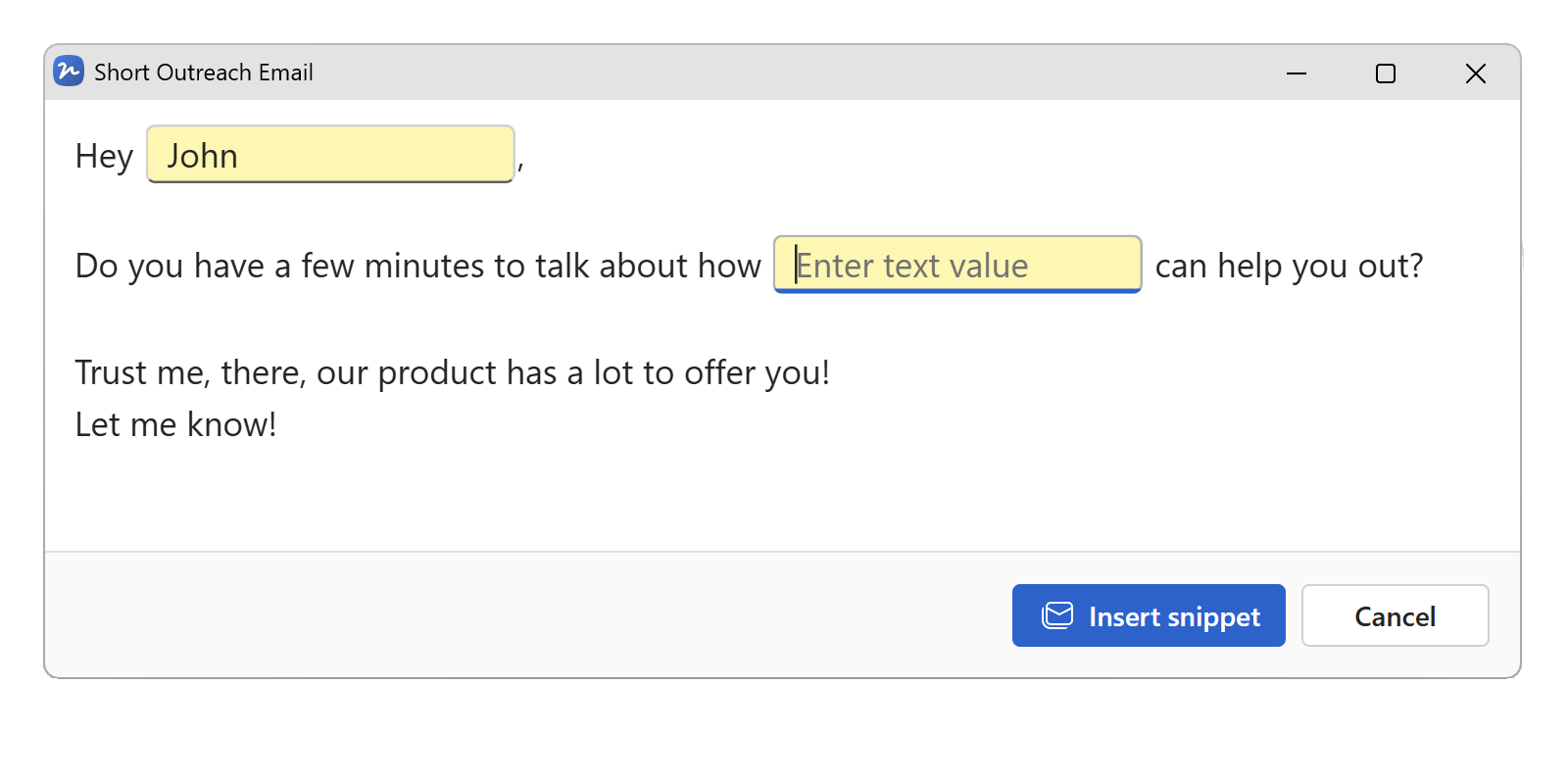
Open the template, fill in the variable fields — name, date, amount, whatever changes per use. The rest of the email is already written, already approved, already exactly as it should be. Takes ten seconds. No hunting through the last email you sent to copy the wording. No hoping you remembered all the details.

Fill in the variable fields in your email template — name, date, and any custom details.

Send from any email client

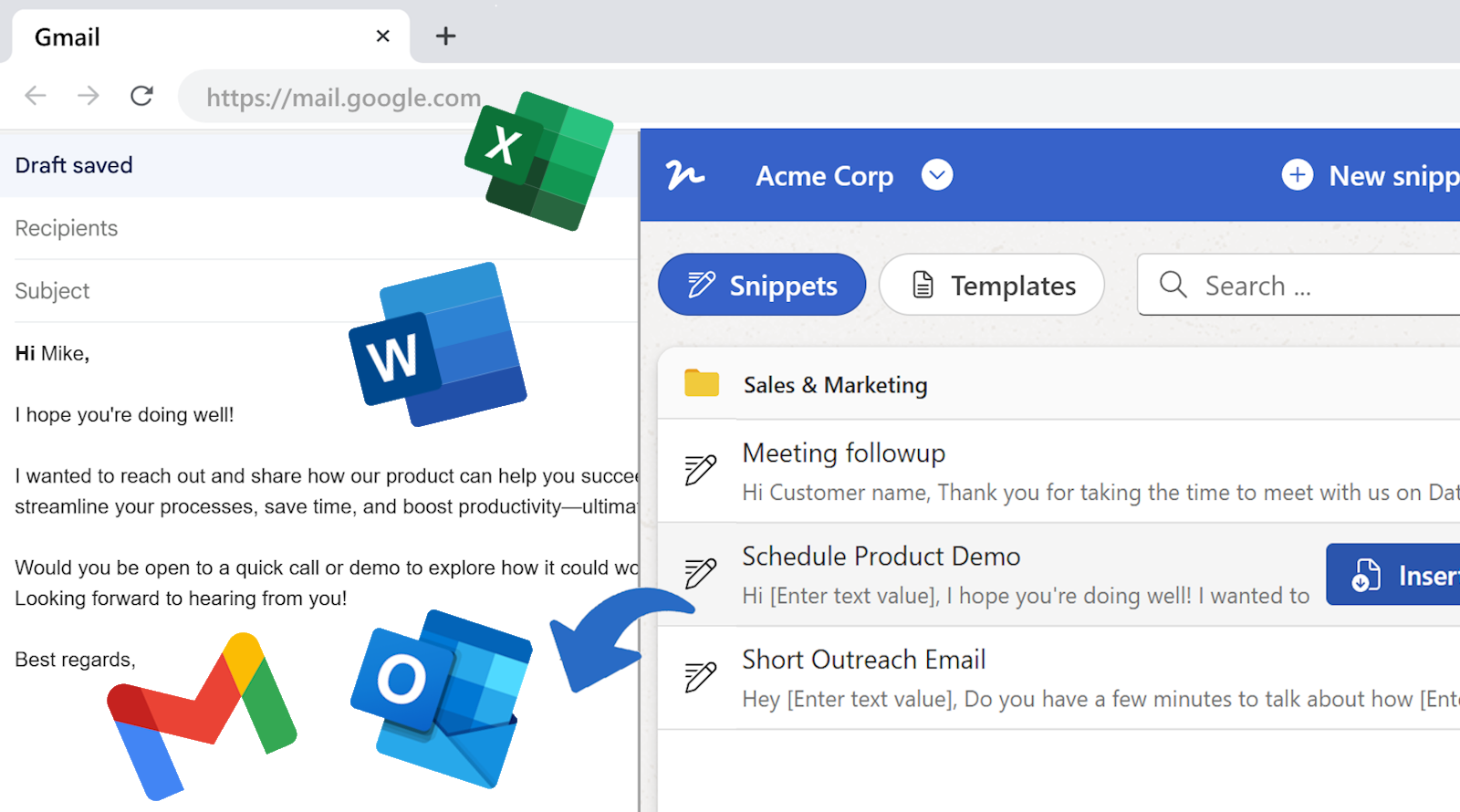
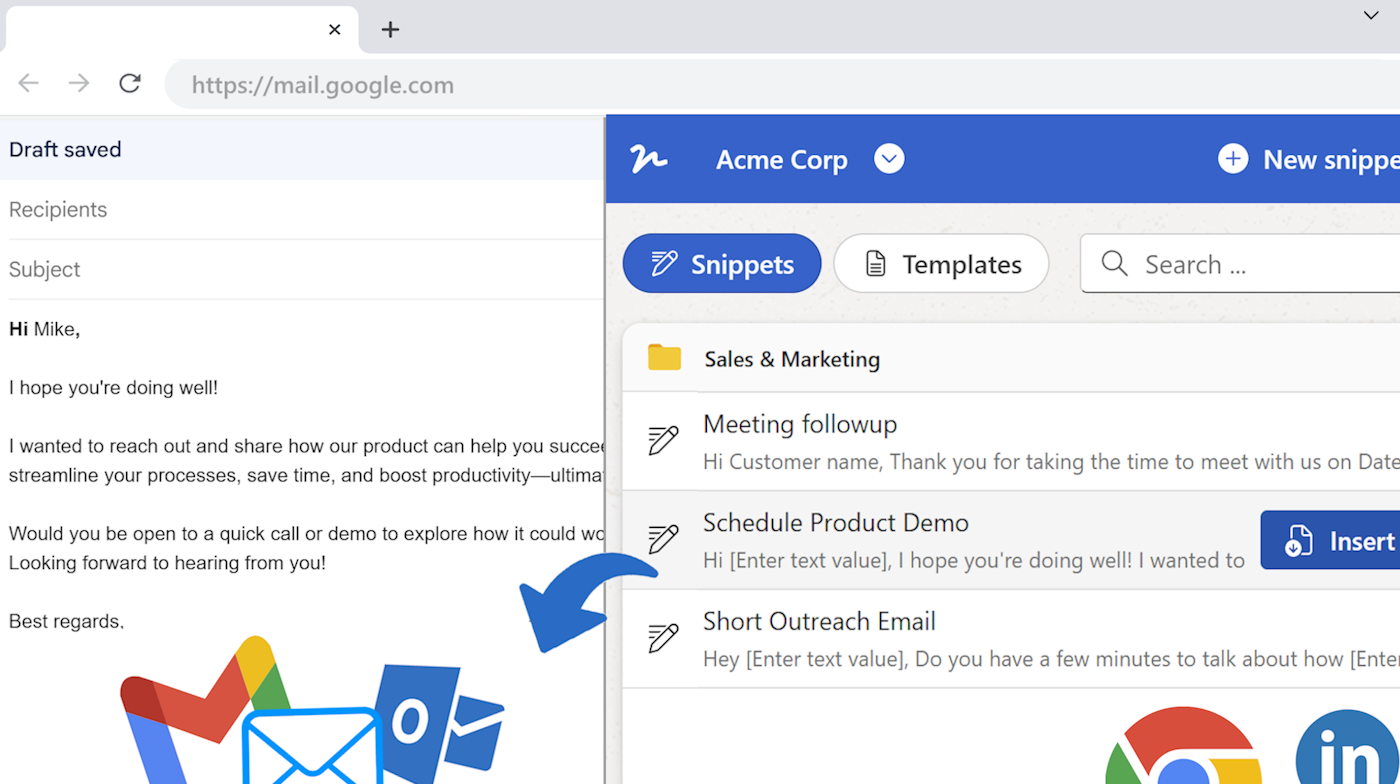
Click Copy. Your completed email is on the clipboard — paste it into Gmail, Outlook, Apple Mail, Superhuman, your helpdesk, or any other tool. Or use the WordFields Chrome extension to insert directly into your compose window without leaving Gmail. Either way, it's in your sent folder in seconds.

Copy the completed email to clipboard or insert directly into Gmail with the WordFields Chrome extension.

Why canned responses aren't enough

Gmail's canned responses and Outlook's quick parts solve a personal problem — saving your own frequently-typed text. They don't solve a team problem. When your support team has twelve people, each with their own saved replies, you get twelve versions of the refund policy email. Some are current. Some aren't. Some have the right tone. Some don't. None of them are visible to the person who decides what gets sent in your company's name.

Start with a template your team already needs

Every email template in the WordFields library is free to use. Open one, fill it in, send it — in under a minute.

Try it free in WordFields
Free for individuals. No credit card required.

One plan, everything included

Email snippets and document templates

Most tools make you choose: email template manager or document generator. WordFields does both. Your support team uses snippets for consistent email replies. Your legal team uses document templates for contracts and NDAs. Your HR team uses both — offer letter emails and the offer letter documents themselves.

One plan. One workspace. One place your team goes for anything they send repeatedly — whether it ends up in an inbox or a client's hands as a Word document.

See pricing →

WordFields — one shared workspace for email snippets and document templates.
Built for every team

Shared email templates built for every team

Support, HR, sales, operations — every team has emails they send again and again. All of them live in the same workspace.

Standardised email templates across support, HR, sales, and operations teams.

Support teams use it for acknowledgement emails, complaint responses, refund replies, service disruption updates, and escalation notices — consistent replies in seconds, whoever is on shift.

HR teams use it for offer letters, rejection emails, welcome messages, onboarding instructions, and reference requests — the same professional tone every time, without rewriting.

Sales teams use it for cold outreach, follow-ups, meeting confirmations, proposal introductions, and price increase letters — approved messaging, personalised per deal in seconds.

Operations teams use it for supplier onboarding, contract renewal notices, approval requests, and internal announcements — structured emails that always include the right details.

Frequently asked questions

How is this different from Gmail's canned responses?

Gmail's canned responses are saved per person, not shared across a team. They have no variable fields, you still have to manually find and replace the client name, date, or amount every time. And there's no version control, so when the approved wording changes, everyone's saved reply stays outdated until they update it manually. WordFields templates are shared across your whole team, have fillable fields for the parts that change, and update for everyone the moment an Admin changes them.

Do my teammates need to install anything?

No installation required to get started. Open a template in WordFields, fill in the variable fields, and click Copy — the completed email is on your clipboard, ready to paste into Gmail, Outlook, or any email client. For a faster workflow, the WordFields Chrome extension lets you open, fill, and insert templates without leaving your inbox. But clipboard copy works everywhere, on any device, with no setup.

Can we control who edits the templates?

Yes. In a WordFields team workspace, Admins and Managers can create and edit templates. Regular team members can open and use them but cannot change the source template. When an Admin updates a template, everyone gets the new version immediately, there's nothing to redistribute.

What kinds of fields can I add to a template?

Text fields, dropdowns, dates, numbers, and multi-line text. The parts that stay the same every time are locked into the template. The parts that change — a recipient name, a date, an order number, a custom message — become fillable fields that prompt whoever is sending to fill them in before the email goes out.

Can I use WordFields for Word documents too?

Yes. Every WordFields plan includes both email snippets and Word and Excel document templates in the same workspace. Your support team uses snippets for email replies. Your legal team uses document templates for contracts and NDAs. One plan, one workspace, both covered. See how document templates work.

Can I organise templates by team or department?

Yes. WordFields workspaces support folders with role-based permissions. Sales templates in a sales folder, HR templates in an HR folder, support replies in a support folder. Each team sees what's relevant to them, nothing more.

What email clients does this work with?

Any email client that accepts pasted text — Gmail, Outlook, Apple Mail, Superhuman, Fastmail, Zoho Mail, your helpdesk tool. The clipboard copy works universally. The WordFields Chrome extension adds one-click insertion directly inside Gmail and any other web-based tool without leaving the page.

Is there a free plan?

Yes. The free individual plan lets you build and use your own personal template library. Team workspaces — shared templates, folder permissions, and team management — are on paid plans. See pricing.
Less time on paperwork. More time on the work that matters.

WordFields works for any team that creates the same content repeatedly. Support, legal, sales, HR, operations, and beyond.

Get Started – It's Free See what you could save

Free for individuals. $4.99 per user/month for teams.