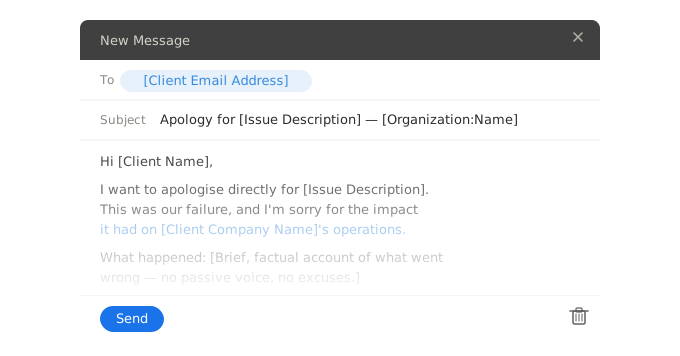
Three ready-to-use complaint response email templates for B2B support teams. Handle service delivery failures, billing disputes, and delayed response complaints with consistent, professional replies.
Hi [Client name],
Thank you for raising this with us. I've reviewed your account and confirmed that [Issue description] did not meet the standard we committed to in [Agreement or engagement reference].
I've escalated this to [Responsible team or person], who is now the named owner of this case. You will receive a full update by [Resolution date].
In the meantime, [Immediate action taken or interim measure] is in place to limit any further impact on your operations.
I'm sorry we fell short here. Please reply directly to this email or contact me at [VALUE("Author.EmailAddress")] if you need anything before then.
[VALUE("Author.FullName")]
[VALUE("Organization")]
Hi Client name,
Thank you for raising this with us. I've reviewed your account and confirmed that Issue description did not meet the standard we committed to in Agreement or engagement reference.
I've escalated this to Responsible team or person, who is now the named owner of this case. You will receive a full update by Resolution date.
In the meantime, Immediate action taken or interim measure is in place to limit any further impact on your operations.
I'm sorry we fell short here. Please reply directly to this email or contact me at =VALUE("Author.EmailAddress") if you need anything before then.
=VALUE("Author.FullName")
=VALUE("Organization")
Hi [Client name],
Thank you for flagging this. I've pulled [Invoice reference] and am reviewing the charge you've queried: [Disputed item or amount].
I will confirm the position to you by [Review deadline]. If an error has been made, I will issue a corrected invoice and confirm the adjustment in the same message.
I understand a disputed invoice creates uncertainty in your accounts, and I want to resolve this cleanly and quickly. Please don't action the payment on the queried line until you hear from me.
[VALUE("Author.FullName")]
[VALUE("Organization")] | [VALUE("Author.EmailAddress")]
Hi Client name,
Thank you for flagging this. I've pulled Invoice reference and am reviewing the charge you've queried: Disputed item or amount.
I will confirm the position to you by Review deadline. If an error has been made, I will issue a corrected invoice and confirm the adjustment in the same message.
I understand a disputed invoice creates uncertainty in your accounts, and I want to resolve this cleanly and quickly. Please don't action the payment on the queried line until you hear from me.
=VALUE("Author.FullName")
=VALUE("Organization") | =VALUE("Author.EmailAddress")
Hi [Client name],
You're right to raise this. [Original issue description] was reported on [Date originally reported] and should not still be open. I'm sorry it has taken this long to get back to you.
I've reviewed the case and am taking personal ownership of it from this point. Here is where things stand: [Current status of the case]. The next action is [Next action to be taken], which will be completed by [Completion deadline].
You'll hear from me directly at [VALUE("Author.EmailAddress")] — not from a queue. If you'd prefer to speak, reply and we'll arrange a call at a time that works for you.
[VALUE("Author.FullName")]
[VALUE("Organization")]
Hi Client name,
You're right to raise this. Original issue description was reported on Date originally reported and should not still be open. I'm sorry it has taken this long to get back to you.
I've reviewed the case and am taking personal ownership of it from this point. Here is where things stand: Current status of the case. The next action is Next action to be taken, which will be completed by Completion deadline.
You'll hear from me directly at =VALUE("Author.EmailAddress") — not from a queue. If you'd prefer to speak, reply and we'll arrange a call at a time that works for you.
=VALUE("Author.FullName")
=VALUE("Organization")
Each snippet auto-populates your name, email address, and organisation name when used in WordFields. Fill in the client-specific fields at the point of use and insert directly into your email client, CRM, or helpdesk via the Chrome extension — without switching tabs.
What's included
Each snippet auto-populates the following fields when used in WordFields:
- Client name, for direct address in the opening line
- Issue description or case reference, so the response is specific to the complaint rather than generic
- The resolution or next step, including the responsible person and deadline
- Sender name, email address, and organisation name — pulled automatically from the logged-in user and workspace, with no manual entry required
When to use each complaint response template
The service delivery failure variant is the right choice when a client has not received what was contractually or operationally committed — a deliverable was late, an outcome wasn't achieved, or a service level was missed. In professional services and managed service environments, this is the highest-stakes complaint type because it implicates the core value of the engagement, not a peripheral error. The response needs to acknowledge the gap specifically, name who now owns it, and give a concrete timeline — without defensive language that shifts accountability back to the client or to process.
The billing dispute variant applies when a client questions a charge, disputes an invoice line, or identifies what they believe is an error. Billing disputes in B2B carry operational weight beyond the amount in question — they create accounting friction, delay payment runs, and, if handled slowly, signal to the client that their finance team is not being taken seriously. The template is built around containing that friction: it names the specific invoice, commits to a review deadline, and explicitly advises the client not to action the disputed item until the position is confirmed. That last instruction reduces the back-and-forth that compounds these situations.
The delayed response complaint variant covers a structurally different problem: the client is not complaining about the original issue, they're complaining about how it was handled. Their primary frustration is not with the error itself but with feeling ignored or deprioritised. A response that focuses exclusively on resolving the original issue misses this. The template opens by validating the complaint about the delay directly — not the underlying issue — then re-establishes accountability by naming a specific person taking ownership, stating the current status, and providing a personal contact point rather than routing the client back to a shared queue.
Frequently asked questions
How do you respond to a customer complaint email professionally?
Acknowledge the specific issue in your first sentence — don't open with a generic apology. State what you are doing to resolve it, give a realistic timeline, and close with a named contact point. Avoid passive constructions like 'it appears that' or 'there may have been'; take direct ownership of what went wrong.
What should a customer complaint response email include?
A complaint response should include: acknowledgement of the specific issue (not a generic apology), a brief explanation of what happened or what you are investigating, the concrete next step and who owns it, and a direct contact for the client to reach if they need to escalate. In B2B contexts, referencing the account or case reference number signals that the complaint is tracked, not just received.
How quickly should you respond to a customer complaint email?
Send an acknowledgement within the hour, even if the resolution requires more time. Research from Harvard Business Review indicates that customers whose complaints are handled quickly are more willing to continue doing business and less likely to escalate. The acknowledgement and the resolution are two separate actions — don't delay the first because you don't yet have the second.
How do you respond to a billing dispute complaint by email?
Confirm receipt of the dispute, identify the specific charge or invoice in question, and state whether you are investigating or have already identified the error. Avoid vague language like 'we will look into this' — commit to a specific review timeline and name the person or team responsible. If an error is confirmed, state clearly what correction will be made and when the client will see it.
What is the difference between a complaint response email and an apology email?
A complaint response email is primarily operational — it acknowledges the issue, owns responsibility, and delivers the resolution or next steps. An apology email is primarily relational — it focuses on restoring trust and recognising the impact of a failure, often after the resolution has already been communicated. In practice, complaint responses contain an apology, but the driving purpose is resolution, not sentiment.
How do you respond to a complaint about slow response times?
Acknowledge the delay directly and specifically — reference the original issue and how long it has been open. Do not defend the timeline or explain internal causes. The client's concern is that they feel deprioritised, so the response needs to re-establish accountability: name who now owns the issue, what action is happening, and when they will next hear from you.
Should you use a template to respond to customer complaints?
Yes, with personalisation applied at point of use. A template ensures that nothing critical is omitted under pressure — acknowledgement, ownership, resolution, next step — while fillable fields let the agent adapt the response to the specific client and situation. Teams that rely entirely on ad-hoc writing produce inconsistent responses; teams that over-rely on canned replies produce impersonal ones. A well-built template with required fields threads the middle.
How do you maintain consistent complaint responses across a support team?
Store approved templates in a shared workspace where all agents access the same current version. Use fillable fields for the variable parts — client name, issue description, resolution — so agents personalise without rewriting from scratch. When a template needs updating (a policy change, a new resolution process), update it once and every agent immediately works from the revised version. This eliminates version drift, where different agents use different copies of the same template.
Related customer service email templates
Explore more professional document and email templates you can copy, customize, and use immediately