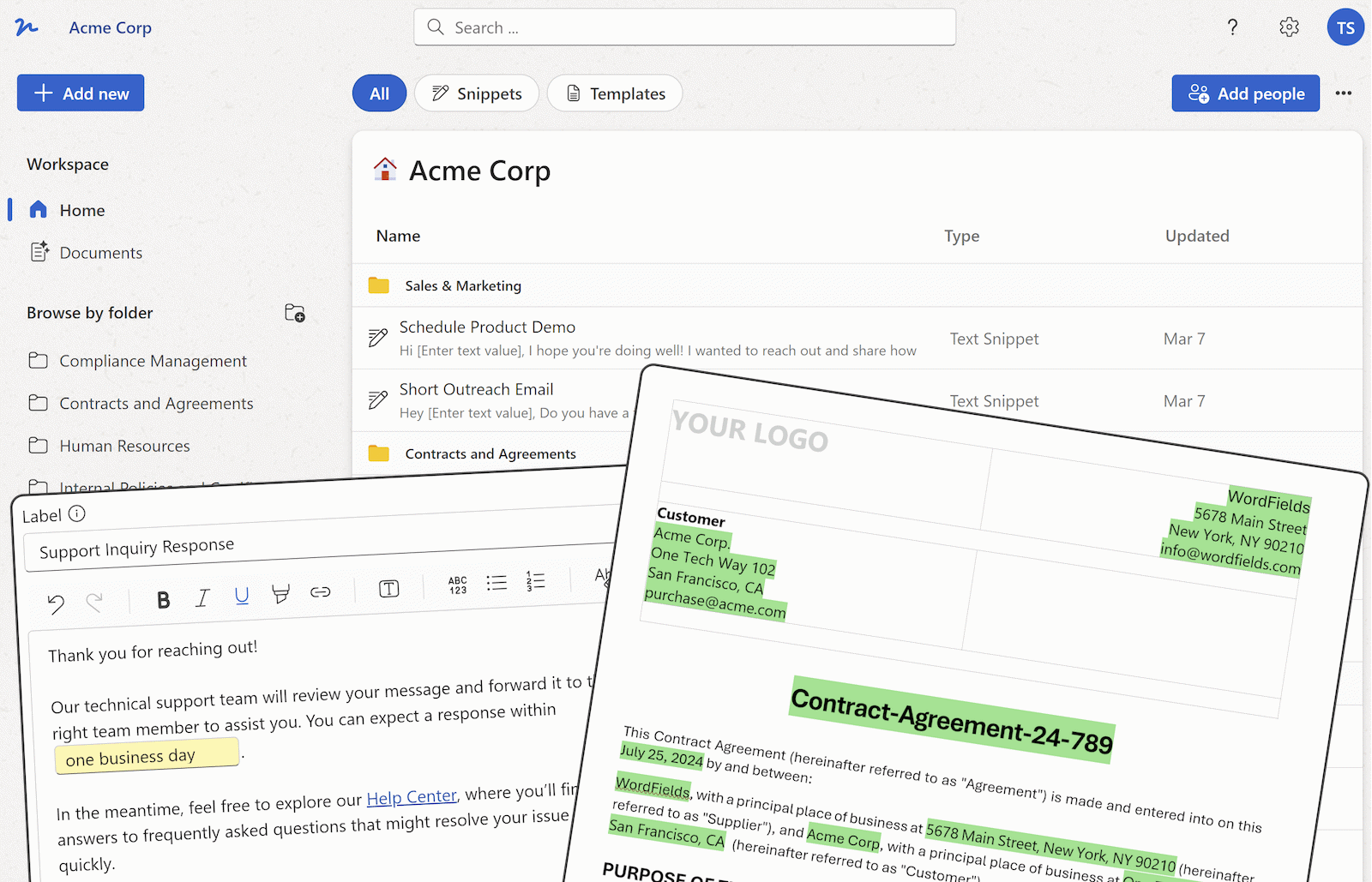
Text snippets with fillable fields

Create reusable text snippets by turning repeated content into templates with fillable fields. Create once, copy or insert anywhere instantly, export to PDF, and share with your team.

Get Started for Free

Free for individuals. $4.99 per user/month for teams.

⭐⭐⭐⭐⭐   Featured on Chrome Web Store  

Text snippets with fillable fields in WordFields, write once, fill in what changes, insert anywhere

How text snippets work

Write it once

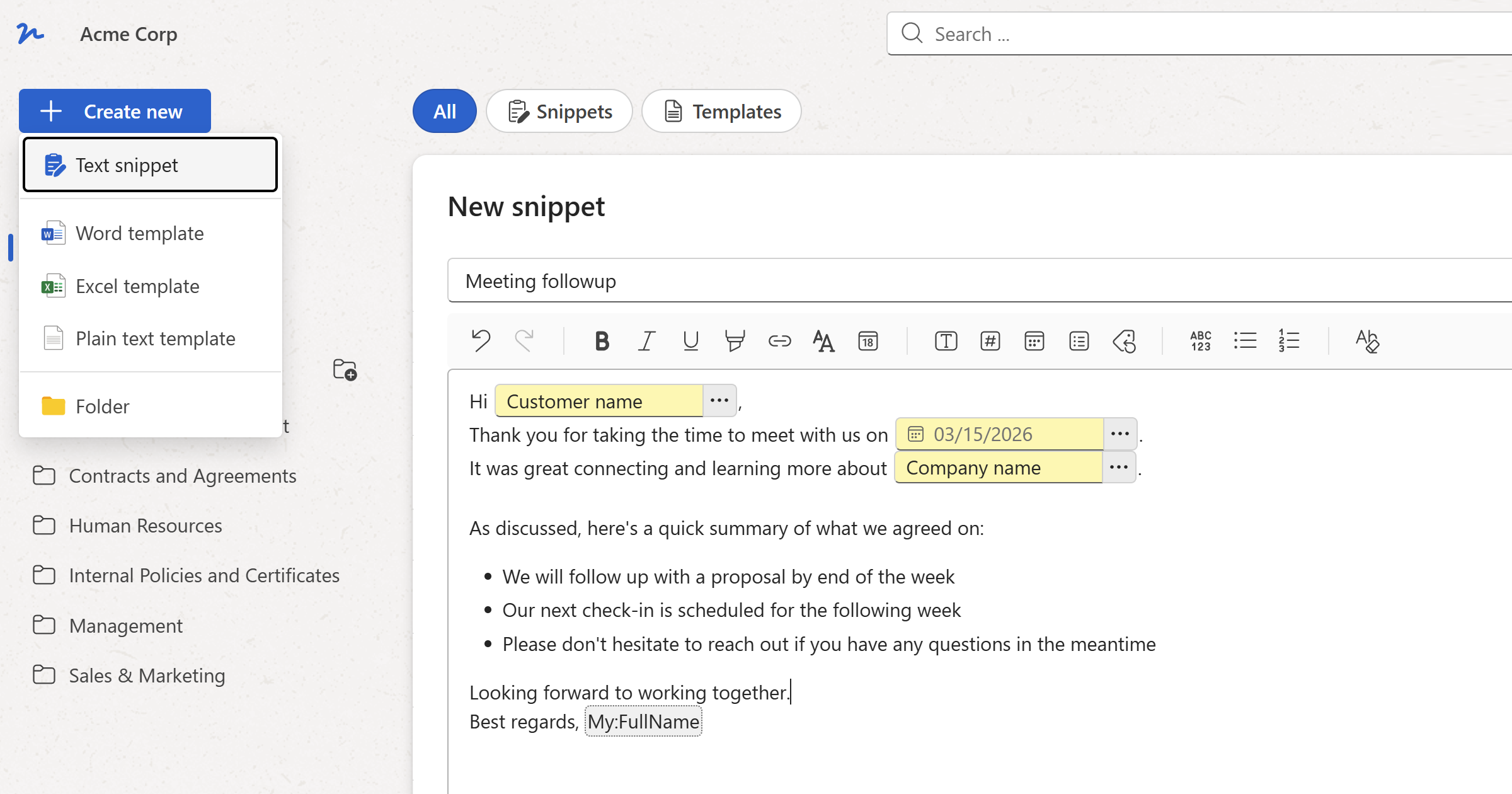
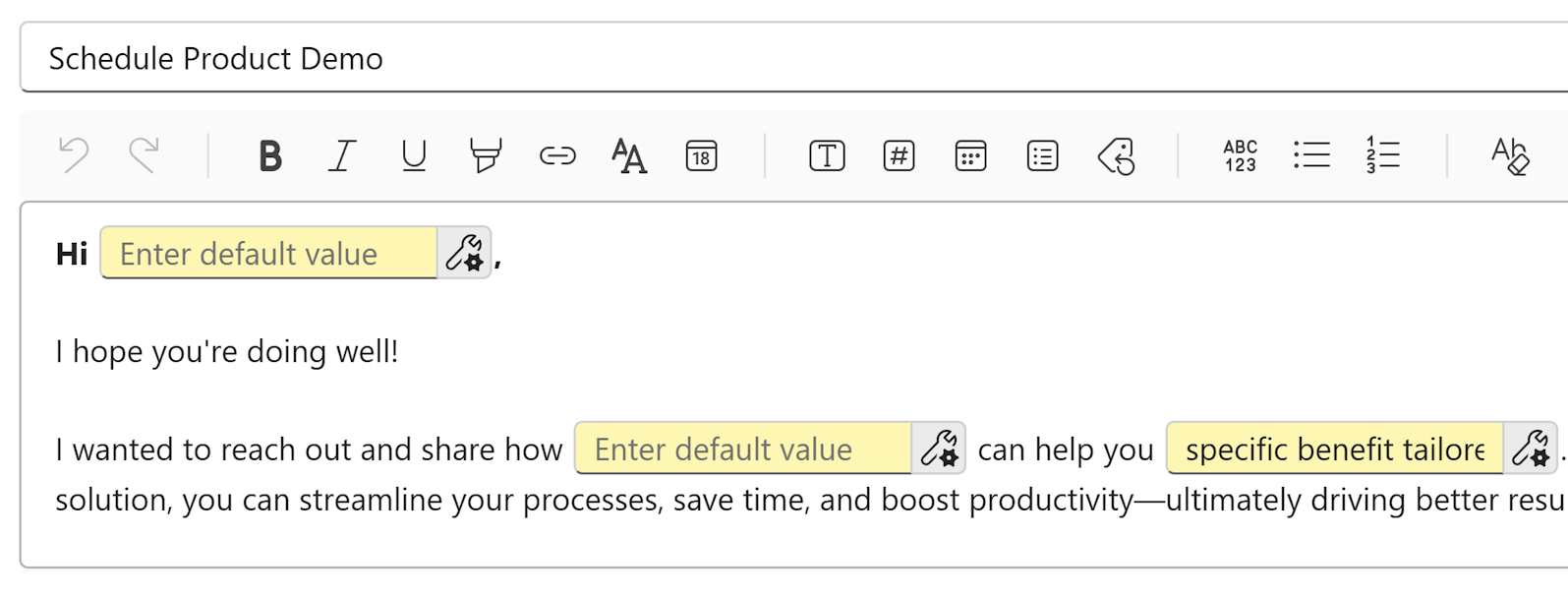
Write a support reply, an onboarding email, or any message your team uses repeatedly. Select the parts that change and mark them as fillable fields: text, number, date, or dropdown.

Create a reusable text snippet or document template with custom fillable fields.

Fill in what changes

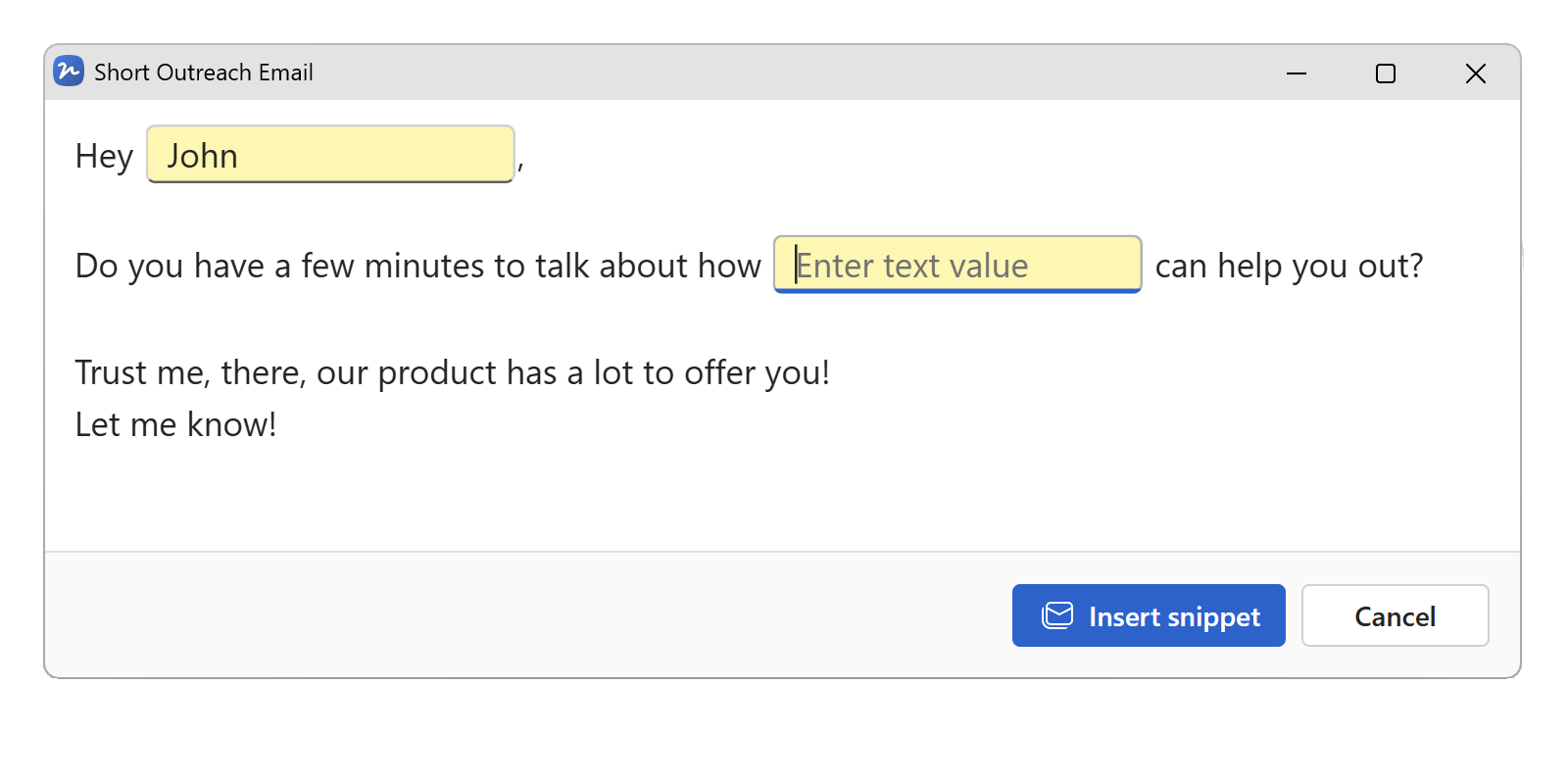
Open the snippet and fill in the fields. Enter a name, date, amount, or selection and every placeholder updates instantly. No formatting to fix, no values to hunt down.

Fill in the variable fields in your text snippet before inserting

Insert or export

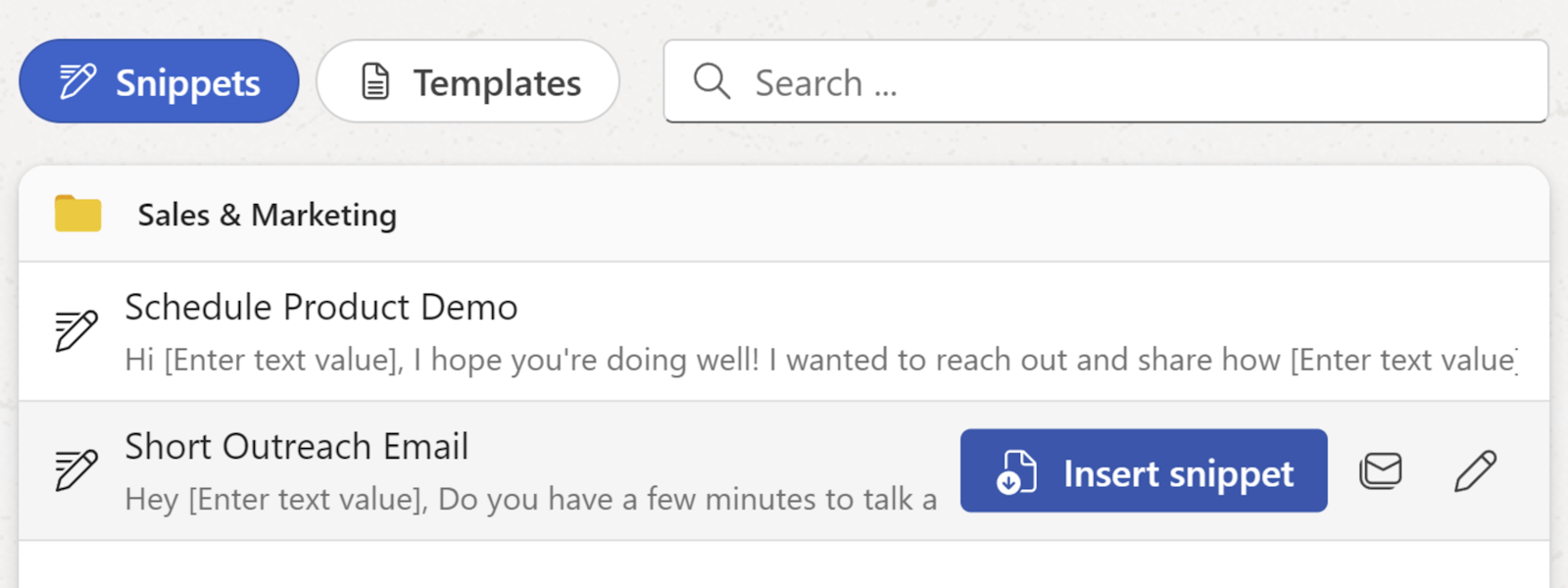
Click Copy and paste into any application, email, CRM, helpdesk, Slack, a web form, a document editor, or use the Text Snippets & Templates Chrome extension to insert directly into any text field in your browser without leaving the page. Print or save as PDF, HTML, or Markdown if needed.

Copy to clipboard, insert via Chrome extension, or export as PDF, HTML or Markdown

Start with a snippet your team already needs

We have a library of free text snippets. Choose one, takes seconds to save and use it in your workspace.

Try it free in WordFields
Free for individuals. No credit card required.

Shared team snippets

One workspace for your whole team

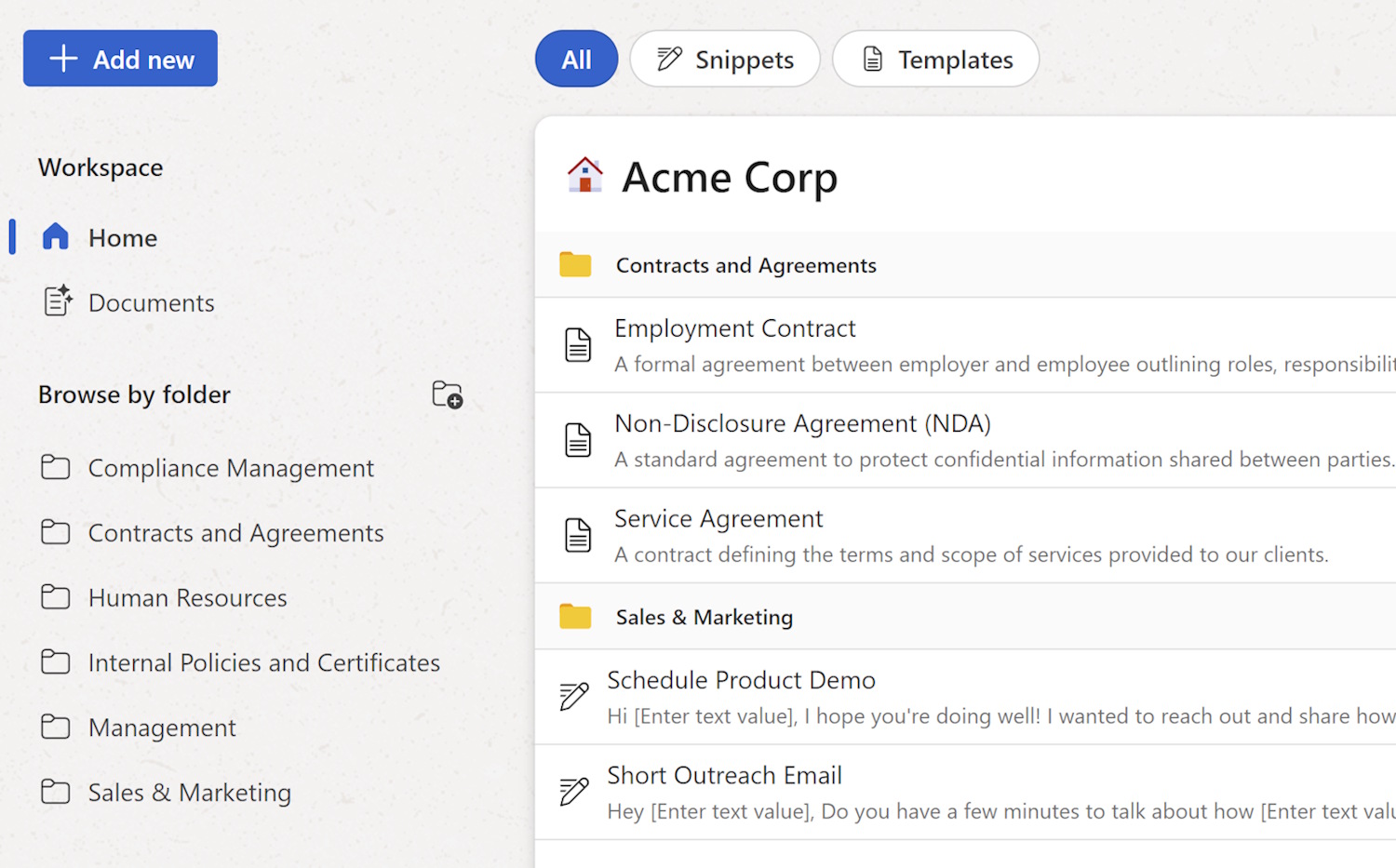
Share snippets across your entire organisation in a single workspace. Organise content into folders by department - support, HR, sales, legal, and more. Control permissions so only admins and managers can edit source snippets, while everyone else can view and use them. When a snippet is updated, changes are instantly available to the whole team.

See how team workspaces work →

Shared text snippet workspace for teams in WordFields
Works with email

Ensure every team email stays consistent

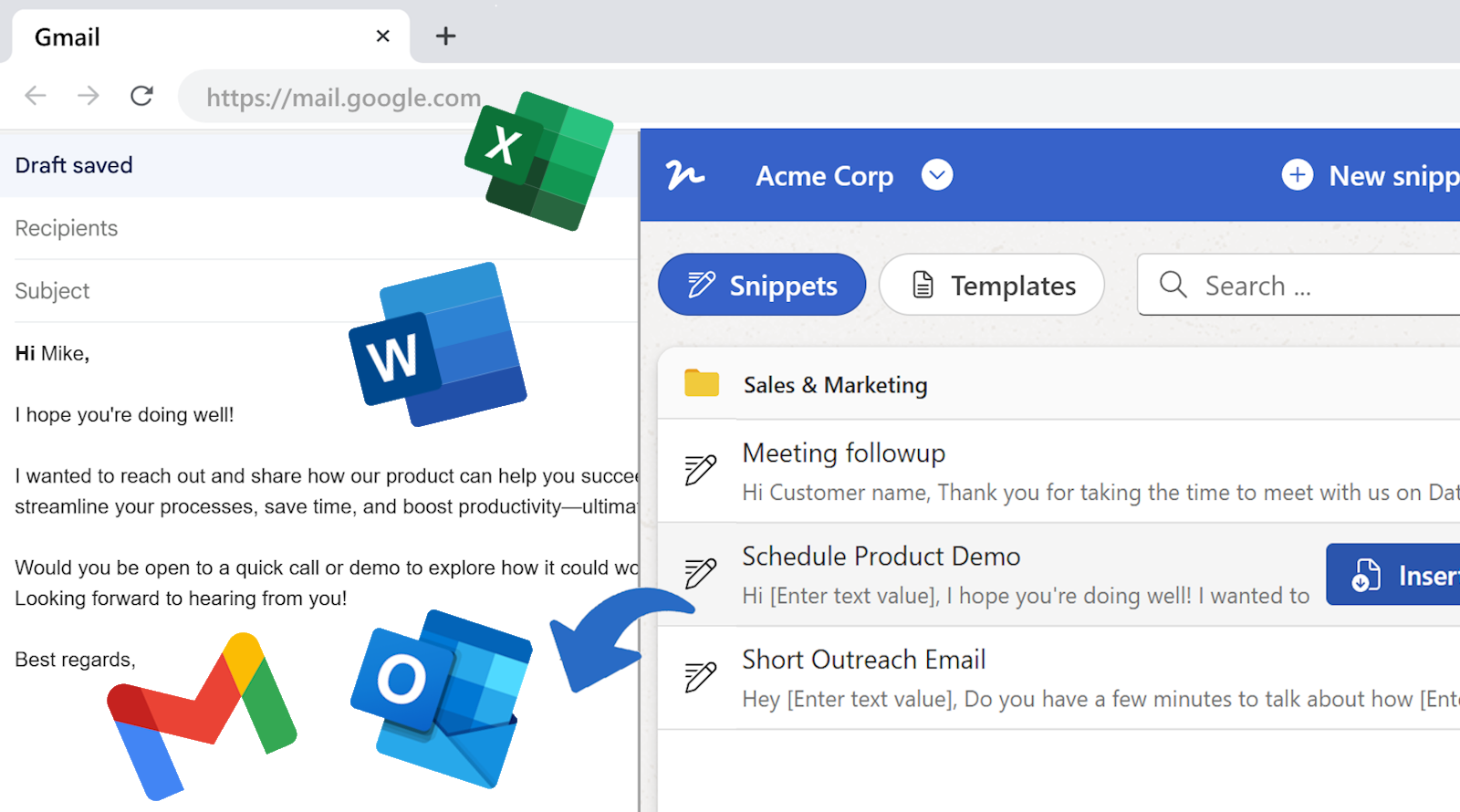
The Text Snippets & Templates Chrome extension lets you insert snippets directly anywhere on the web, including email. Instantly insert a ready-to-send email with the extension. Or copy the generated email and paste it into Gmail, Outlook, Apple Mail, or any other email client.

Shared email templates for teams →

Shared email snippets for teams in WordFields
Built for every team

Text snippets for every team that writes the same thing twice

Support, HR, sales, legal, operations, every team has content they produce repeatedly. All of it belongs in one shared workspace.

Text snippets for support, HR, sales, and operations teams

Support teams use snippets for complaint responses, refund confirmations, escalation notices, and service disruption updates, consistent replies in seconds, whoever is on shift.

HR teams use snippets for offer letter emails, rejection messages, welcome emails, onboarding instructions, and reference requests, the same professional tone every time, without rewriting.

Sales teams use snippets for cold outreach, follow-ups, meeting confirmations, and proposal introductions, approved messaging, personalised per deal in seconds.

Operations teams use snippets for supplier onboarding, approval requests, internal announcements, and contract renewal notices, structured messages that always include the right details.

🔒 Privacy first: We store your snippets, not what you fill into them. Sensitive data does not stay on our servers.

Frequently asked questions

What is a text snippet?

A text snippet is a saved, reusable block of text you write once and insert wherever you need it, an email reply, a CRM note, a support ticket, a Slack message, a web form. In WordFields, snippets go further than plain saved text: they have fillable fields for the parts that change each time, so you fill in a name, a date, or a reference number before inserting rather than hunting through the text to replace it manually.

How is WordFields different from TextExpander or Text Blaze?

TextExpander and Text Blaze are text expansion tools, you type a keyboard shortcut and static text is pasted. WordFields is a structured template tool. Instead of pasting a fixed block of text you then edit, WordFields prompts you to fill in the variable parts, name, date, amount, dropdown selection, before the snippet is inserted. The result is personalised, correctly filled output every time, with no manual find-and-replace after the fact. WordFields also supports shared team workspaces with folder permissions, version control, and export to PDF, HTML, and Markdown, features text expanders don't cover.

What kinds of fields can I add to a snippet?

Text fields for open-ended input, number fields with formatting options, date pickers that default to today, and select fields with a fixed list of options. Fields can be named so the value entered in one place is reused automatically elsewhere in the same snippet. Workspace values, company name, address, support email, are populated automatically without any user input.

Where can I insert a text snippet?

Anywhere. Copy the completed snippet to your clipboard and paste it into Gmail, Outlook, a CRM, a helpdesk tool, a Slack message, a Google Doc, a web form, or any other application. For web-based tools, the WordFields Chrome extension lets you browse snippets and insert directly into any text field without switching tabs. You can also export snippets as PDF, HTML, or Markdown for situations where clipboard paste isn't the right output.

Can I share snippets with my whole team?

Yes. WordFields workspaces are shared, every snippet you create is accessible to the whole team immediately. Organise snippets into folders by team or department, set role-based permissions so only Admins and Managers can edit the source snippets, and when a snippet is updated everyone gets the new version instantly. No redistributing files, no version control issues.

Can I use text snippets for email specifically?

Yes, email is the most common use case. Fill a snippet and copy it to your clipboard, then paste into Gmail, Outlook, Apple Mail, or any other email client. The WordFields Chrome extension inserts directly into Gmail without leaving your inbox. For email-specific guidance and a full library of ready-to-use email snippets, see the shared email templates page.

Do my teammates need to install anything?

No. Open a snippet in WordFields, fill in the fields, and click Copy, the completed text is on your clipboard ready to paste anywhere. The WordFields Chrome extension is optional but recommended for teams who want to insert directly into web-based tools without switching tabs.

Is there a free plan?

Yes. The free individual plan lets you build and use your own personal snippet library with no time limit. Team workspaces, shared snippets, folder permissions, and team management, are on paid plans. See pricing.
Less time on paperwork. More time on the work that matters.

WordFields works for any team that creates the same content repeatedly. Support, legal, sales, HR, operations, and beyond.

Get Started – It's Free See what you could save

Free for individuals. $4.99 per user/month for teams.