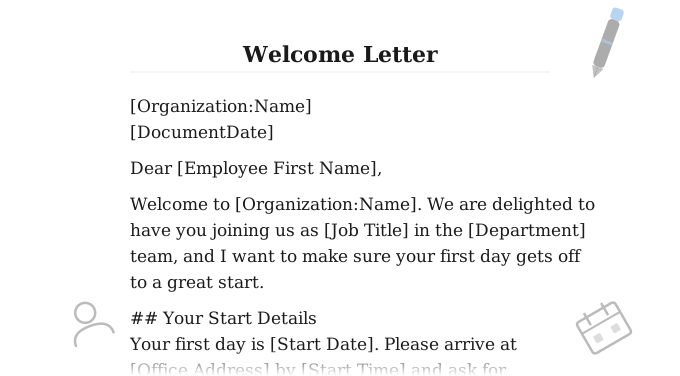
A free Word offer letter template covering job title, salary, start date, benefits, and contingencies. Fill it out in WordFields and send a correctly formatted offer in minutes.
Job Offer Letter
[VALUE("Organization")]
[Organization address]
[Document date]
[Candidate full name]
[Candidate address]
Dear [Candidate first name],
We are pleased to offer you the position of [Job title] at [VALUE("Organization")]. We were impressed throughout the interview process and are confident you will make a valuable contribution to the [Department] team.
Position
Your role will be [[Job Title]], reporting to [Hiring manager name], [Hiring manager job title]. Your primary place of work will be [Office address, Remote, or Hybrid arrangement]. Your anticipated start date is [Start date].
Compensation
You will receive a [Compensation Type] of [Amount] [Pay Period], paid [Pay Frequency]. You will also be eligible for [bonus, commission, or other — leave blank if not applicable].
Benefits
[VALUE("Organization")] offers the following benefits, full details of which will be provided during your onboarding:
- [e.g. private health insurance]
- [e.g. pension / 401(k) with employer matching]
- [e.g. X days annual leave]
- [e.g. flexible working / other]
Contingencies
This offer is contingent upon the successful completion of [e.g. background check, reference checks, right-to-work verification]. Please provide the required documentation by [Documentation deadline].
Employment Status
Your employment with [VALUE("Organization")] will be on an at-will basis, meaning either party may terminate the employment relationship at any time, with or without cause or notice, unless otherwise required by law. This letter is not a contract of employment.
Acceptance
Please confirm your acceptance of this offer by signing and returning this letter by [Response deadline date]. If you have any questions before then, please contact [HR contact name] at [HR contact email] or [HR contact phone].
We look forward to welcoming you to the team.
Yours sincerely,
| [VALUE("Organization")] | [[Candidate Full Name]] |
| Signature: ___________________________ | Signature: ___________________________ |
| Name: [VALUE("Author.FullName")] | Name: [[Candidate Full Name]] |
| Title: [Author job title] | Date: ________________________________ |
| Date: ________________________________ | By signing, the candidate confirms acceptance of the terms outlined above. |
=VALUE("Organization")
Organization address
Document date
Candidate full name
Candidate address
Dear Candidate first name,
We are pleased to offer you the position of Job title at =VALUE("Organization"). We were impressed throughout the interview process and are confident you will make a valuable contribution to the Department team.
Your role will be =[Job Title], reporting to Hiring manager name, Hiring manager job title. Your primary place of work will be Office address, Remote, or Hybrid arrangement. Your anticipated start date is Start date.
You will receive a Compensation Type of Amount Pay Period, paid Pay Frequency. You will also be eligible for bonus, commission, or other — leave blank if not applicable.
=VALUE("Organization") offers the following benefits, full details of which will be provided during your onboarding:
- e.g. private health insurance
- e.g. pension / 401(k) with employer matching
- e.g. X days annual leave
- e.g. flexible working / other
This offer is contingent upon the successful completion of e.g. background check, reference checks, right-to-work verification. Please provide the required documentation by Documentation deadline.
Your employment with =VALUE("Organization") will be on an at-will basis, meaning either party may terminate the employment relationship at any time, with or without cause or notice, unless otherwise required by law. This letter is not a contract of employment.
Please confirm your acceptance of this offer by signing and returning this letter by Response deadline date. If you have any questions before then, please contact HR contact name at HR contact email or HR contact phone.
We look forward to welcoming you to the team.
Yours sincerely,
| =VALUE("Organization") | =[Candidate Full Name] |
| Signature: ___________________________ | Signature: ___________________________ |
| Name: =VALUE("Author.FullName") | Name: =[Candidate Full Name] |
| Title: Author job title | Date: ________________________________ |
| Date: ________________________________ | By signing, the candidate confirms acceptance of the terms outlined above. |
Use WordFields to fill in and generate a personalised offer letter in under a minute — salary, role, benefits, and contingencies all update automatically from the form. Share the template with your whole hiring team so every offer goes out on the same approved document.
What's included
This template auto-populates the following fields when used in WordFields:
- Candidate name and address
- Job title, department, and reporting manager
- Start date and office location
- Salary or hourly rate and pay frequency
- Benefits summary (configurable per hire)
- Contingency clauses (shown or hidden based on your input)
- Response deadline and HR contact details
- Company name and address (pulled from your workspace automatically)
- Sender name and job title (pulled from the logged-in user automatically)
When to send a job offer letter
Send it within 24 hours of the verbal offer being made. Top candidates are typically weighing more than one offer — delays signal disorganisation and give them time to say yes to someone else. Include a response deadline of five to seven business days: enough time for the candidate to make an informed decision, short enough to keep the process moving.
The letter should follow the verbal offer call, not replace it. Call first, confirm the candidate is interested in accepting, then send the letter as formal confirmation of everything discussed. If any details in the letter differ from what was said on the call, the candidate will notice — so make sure the document reflects the actual agreed terms before it goes out.
If your team hires across multiple roles or departments, a shared offer letter template in WordFields means every manager generates the same correctly formatted, legally reviewed document — without emailing around a Word file and hoping nobody changes the wrong clause.
Frequently asked questions
What should a job offer letter include?
At minimum: the job title, start date, salary or hourly rate, employment type (full-time or part-time), reporting structure, a summary of key benefits, any contingencies such as background checks, and an at-will employment statement if applicable. It should also include a deadline for the candidate to accept and a signature block for both parties. The letter is not meant to be an exhaustive employment contract — keep it clear and concise.
Is a job offer letter legally binding?
It can be, depending on how it is worded. If the letter makes specific promises — such as guaranteeing employment for a set period or implying conditions that differ from at-will employment — a court may treat it as enforceable. To reduce legal risk, include an at-will employment statement and a disclaimer that the letter is not a contract. Always have your legal team review the template before using it.
What is the difference between an offer letter and an employment contract?
An offer letter is a shorter, less formal document that outlines the key terms of a job offer — salary, start date, title, and benefits. It is typically sent before the employee starts and is accepted with a signature. An employment contract is a more comprehensive, legally binding agreement that covers rights, responsibilities, termination conditions, and other detailed provisions. Many organisations send an offer letter first, then follow up with a full employment contract once the offer is accepted.
When should you send a job offer letter?
Send it as quickly as possible after the verbal offer has been made and accepted — ideally within 24 hours. Top candidates are often weighing multiple offers, and delays can cost you the hire. Include a clear response deadline, typically five to seven business days, to prevent the process from stalling while keeping the pressure reasonable.
Can I use the same offer letter template for every hire?
Yes, and you should — consistency protects your organisation legally and ensures every candidate receives the same standard of professionalism. In WordFields, the variable fields (name, role, salary, start date, benefits) are built into the template, so generating a personalised offer letter takes under a minute without touching the source document. If you hire across multiple roles or departments, a single shared template in WordFields means the whole team works from the same approved version.
Does an offer letter need to be signed?
It is strongly recommended. A signed offer letter confirms that both parties have agreed to the stated terms and provides a clear reference point if any details are disputed later. The candidate signs to indicate acceptance, and a representative from the company — typically the hiring manager or HR lead — signs to authorise the offer. Some organisations also include a response deadline after which the offer lapses.
Related human resources templates
Explore more professional document and email templates you can copy, customize, and use immediately