Three ready-to-use first day checklist snippets for new hires — office, remote, and hybrid. Send as an email the day before so your new hire arrives knowing exactly what to expect.
Hi [Employee first name],
We're really looking forward to seeing you tomorrow. Here's everything you need for a smooth start.
ARRIVAL
Please arrive at [Office address] by [Start time] and head to reception. Ask for [Reception contact name] — they'll be expecting you and will get you settled in.
WHAT TO BRING
☐ A valid photo ID (passport or driving licence)
☐ [Any additional documents, e.g. proof of right to work — leave blank if already collected]
☐ Your bank details if you haven't already submitted them
YOUR DAY
Here's a rough outline of what to expect:
☐ Welcome and office tour with [[Reception Contact]]
☐ Introduction to your team
☐ IT setup — getting your laptop, logins, and email working
☐ Paperwork and HR formalities with [HR contact name]
☐ One-to-one with your manager, [Manager name], to talk through your first week
☐ [e.g. Team lunch, coffee with the team — leave blank if not applicable]
PRACTICAL THINGS
- Dress code: []
- Parking: [Parking details — leave blank if not applicable]
- The office Wi-Fi is [Wi-Fi network name] — password is [Wi-Fi password — leave blank if provided separately]
If you have any questions before tomorrow, reply to this email or reach me at [HR contact phone].
See you in the morning!
[Sender first name]
[Sender job title], [VALUE("Organization")]
Hi Employee first name,
We're really looking forward to seeing you tomorrow. Here's everything you need for a smooth start.
ARRIVAL
Please arrive at Office address by Start time and head to reception. Ask for Reception contact name — they'll be expecting you and will get you settled in.
WHAT TO BRING
☐ A valid photo ID (passport or driving licence)
☐ Any additional documents, e.g. proof of right to work — leave blank if already collected
☐ Your bank details if you haven't already submitted them
YOUR DAY
Here's a rough outline of what to expect:
☐ Welcome and office tour with =[Reception Contact]
☐ Introduction to your team
☐ IT setup — getting your laptop, logins, and email working
☐ Paperwork and HR formalities with HR contact name
☐ One-to-one with your manager, Manager name, to talk through your first week
☐ e.g. Team lunch, coffee with the team — leave blank if not applicable
PRACTICAL THINGS
- Dress code: Select
- Parking: Parking details — leave blank if not applicable
- The office Wi-Fi is Wi-Fi network name — password is Wi-Fi password — leave blank if provided separately
If you have any questions before tomorrow, reply to this email or reach me at HR contact phone.
See you in the morning!
Sender first name
Sender job title, =VALUE("Organization")
Hi [Employee first name],
We're really looking forward to having you join us tomorrow. Here's everything you need to get started from home.
YOUR START TIME
Log on at [Start time]. Your first session is a welcome call — join here: [Video call link]. [Host name] will be hosting and will walk you through the day.
BEFORE YOU LOG ON
☐ Check your company email is working — you should have received a setup link from IT
☐ Log in to [e.g. Slack, Microsoft Teams] and join the [Team channel name] channel
☐ Make sure your [e.g. laptop, equipment] is charged and connected — if anything isn't working, contact [IT contact name] at [IT contact email] before your start time
☐ Have your bank details ready if you haven't already submitted them
YOUR DAY
☐ [[Start Time]] — Welcome call with [[Welcome Host]]: introductions and overview of the day
☐ [IT check-in time] — IT check-in to confirm all your access and tools are working
☐ [Manager one-to-one time] — One-to-one with your manager, [Manager name]
☐ [Team call time] — Meet the team: [Video call link or channel name]
☐ [HR formalities time] — HR formalities with [HR contact name]
USEFUL LINKS
- Company handbook: [Company handbook link]
- Team directory: [Team directory link]
- [Any other links relevant to day one]
If anything isn't set up or you run into any issues, reply to this email or contact [[IT Contact]] at [[IT Email]]. I'm also here if you need anything — just reply here or reach me at [HR contact phone].
Looking forward to seeing you tomorrow!
[Sender first name]
[Sender job title], [VALUE("Organization")]
Hi Employee first name,
We're really looking forward to having you join us tomorrow. Here's everything you need to get started from home.
YOUR START TIME
Log on at Start time. Your first session is a welcome call — join here: Video call link. Host name will be hosting and will walk you through the day.
BEFORE YOU LOG ON
☐ Check your company email is working — you should have received a setup link from IT
☐ Log in to e.g. Slack, Microsoft Teams and join the Team channel name channel
☐ Make sure your e.g. laptop, equipment is charged and connected — if anything isn't working, contact IT contact name at IT contact email before your start time
☐ Have your bank details ready if you haven't already submitted them
YOUR DAY
☐ =[Start Time] — Welcome call with =[Welcome Host]: introductions and overview of the day
☐ IT check-in time — IT check-in to confirm all your access and tools are working
☐ Manager one-to-one time — One-to-one with your manager, Manager name
☐ Team call time — Meet the team: Video call link or channel name
☐ HR formalities time — HR formalities with HR contact name
USEFUL LINKS
- Company handbook: Company handbook link
- Team directory: Team directory link
- Any other links relevant to day one
If anything isn't set up or you run into any issues, reply to this email or contact =[IT Contact] at =[IT Email]. I'm also here if you need anything — just reply here or reach me at HR contact phone.
Looking forward to seeing you tomorrow!
Sender first name
Sender job title, =VALUE("Organization")
Hi [Employee first name],
Tomorrow is the day — we're looking forward to it. Here's what you need for a smooth start.
ARRIVAL
Please come into the office at [Office address] by [Start time] and ask for [Reception contact name] at reception. Your first day will be in the office so we can get you properly set up and introduce you to the team in person.
WHAT TO BRING
☐ A valid photo ID (passport or driving licence)
☐ [Any additional documents, e.g. proof of right to work — leave blank if already collected]
☐ Your bank details if you haven't already submitted them
YOUR DAY
☐ Welcome and office tour with [[Reception Contact]]
☐ Introduction to your team
☐ IT setup — laptop, logins, company email, and remote access tools
☐ Paperwork and HR formalities with [HR contact name]
☐ One-to-one with your manager, [Manager name], to walk through your first week and your hybrid schedule going forward
☐ [e.g. Team lunch, coffee with the team — leave blank if not applicable]
YOUR HYBRID ARRANGEMENT
Going forward, your office days will be [Office days — e.g. Monday, Wednesday]. On your remote days, you'll log on at [[Start Time]] and connect via [e.g. Slack, Microsoft Teams]. We'll walk through all of this in your one-to-one tomorrow.
PRACTICAL THINGS
- Dress code: []
- Parking: [Parking details — leave blank if not applicable]
If you have any questions before tomorrow, reply to this email or reach me at [HR contact phone].
See you in the morning!
[Sender first name]
[Sender job title], [VALUE("Organization")]
Hi Employee first name,
Tomorrow is the day — we're looking forward to it. Here's what you need for a smooth start.
ARRIVAL
Please come into the office at Office address by Start time and ask for Reception contact name at reception. Your first day will be in the office so we can get you properly set up and introduce you to the team in person.
WHAT TO BRING
☐ A valid photo ID (passport or driving licence)
☐ Any additional documents, e.g. proof of right to work — leave blank if already collected
☐ Your bank details if you haven't already submitted them
YOUR DAY
☐ Welcome and office tour with =[Reception Contact]
☐ Introduction to your team
☐ IT setup — laptop, logins, company email, and remote access tools
☐ Paperwork and HR formalities with HR contact name
☐ One-to-one with your manager, Manager name, to walk through your first week and your hybrid schedule going forward
☐ e.g. Team lunch, coffee with the team — leave blank if not applicable
YOUR HYBRID ARRANGEMENT
Going forward, your office days will be Office days — e.g. Monday, Wednesday. On your remote days, you'll log on at =[Start Time] and connect via e.g. Slack, Microsoft Teams. We'll walk through all of this in your one-to-one tomorrow.
PRACTICAL THINGS
- Dress code: Select
- Parking: Parking details — leave blank if not applicable
If you have any questions before tomorrow, reply to this email or reach me at HR contact phone.
See you in the morning!
Sender first name
Sender job title, =VALUE("Organization")
Save these snippets in WordFields and any manager on your team can send a personalised first day checklist in under a minute. Employee name, contact details, start time, and company information auto-populate from the form — so the right details go out every time without manual editing.
What's included
Each snippet auto-populates the following fields when used in WordFields:
- Employee first name
- Start time and office address or video call link (depending on variant)
- Contact name for reception or IT
- Manager name and HR contact details
- Hybrid schedule details (hybrid variant only)
- Company name (pulled from your workspace automatically)
- Sender name and job title (pulled from the logged-in user automatically)
When to send a first day checklist
Send it the evening before or the morning of the start date — not weeks in advance when details may still change. The checklist answers the practical questions a new hire is asking the night before: where to go, what to bring, who to ask for, what the day looks like. Sending it at exactly the right moment means it gets read; sending it too early means it gets buried.
If you already send a welcome email from this template set, the first day checklist goes out as a separate, shorter email the day before — not bundled into the welcome email. Combining the two makes the welcome email too long and buries the practical details the new hire needs at the moment they actually need them.
Frequently asked questions
What should be on a new employee first day checklist?
A first day checklist for a new hire should cover: where to go and who to ask for on arrival, what documents or ID to bring, how to access their systems and tools, who they will meet during the day, what the dress code is, and what they can expect from the schedule. For remote hires, replace arrival logistics with login instructions, video call links, and IT setup steps. Keep it short — new hires are already absorbing a lot of information and a concise checklist is more useful than an exhaustive one.
When should you send a first day checklist to a new hire?
Send it the evening before or the morning of the start date — not weeks in advance when details may change. The checklist is practical, not informational: it answers the questions a new hire is asking the night before their first day, like where to park, what to bring, and who to ask for at reception. Sending it too early means it gets buried. Sending it at the right moment means it actually gets read.
Is a first day checklist the same as an onboarding checklist?
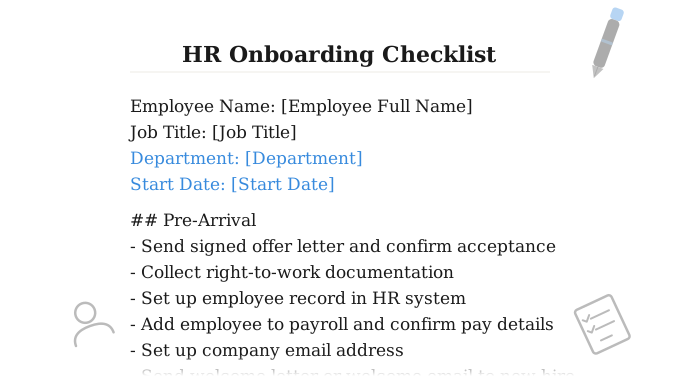
No. An onboarding checklist is an internal HR document covering everything the team needs to do before and during the employee's first weeks — paperwork, IT setup, compliance training, and check-ins. A first day checklist is written for the new hire themselves and covers only what they need to do or know on day one. The two documents serve different audiences and are used at different points in the process.
Should a first day checklist be sent by email or given in person?
Email is better — send it the day before so the new hire can read it at home without the distraction of a busy first morning. If you also want to hand it to them in person, print a copy and leave it on their desk or include it in a welcome pack. The snippets on this page are formatted specifically for pasting into an email or inserting directly with the WordFields Chrome extension.
Can I use the same first day checklist for every new hire?
The core tasks are consistent, but the logistics differ by work arrangement — an office hire needs arrival instructions while a remote hire needs login details. That is why this page includes three variants: office, remote, and hybrid. In WordFields, the variable fields auto-populate each time so any manager can send a correctly personalised checklist in seconds without editing the snippet manually.
Related human resources templates
Explore more professional document and email templates you can copy, customize, and use immediately