A full reference of keyboard shortcuts and Markdown syntax supported in the WordFields snippet editor, so you can write, format, and insert fields without ever reaching for your mouse ⌨️
Note
Shortcuts listed as Ctrl refer to Control on both Windows and Mac, unless otherwise noted. Opt refers to the Option key on Mac (Alt on Windows).
Most useful shortcuts
If you only learn a handful, make it these:
Ctrl+B— Bold selected textCtrl+I— Italic selected textCtrl+K— Insert a linkCtrl+M— Insert a text fieldAlt+Shift+D— Insert today's dateCtrl+Z/Ctrl+Y— Undo / Redo
Text formatting
With text selected:
| Action | Shortcut |
|---|---|
| Bold | Ctrl+B |
| Italic | Ctrl+I |
| Underline | Ctrl+U |
| Highlight | Ctrl+Shift+H |
| Insert link | Ctrl+K |
Paragraph styles
Click inside any paragraph or heading block and use these shortcuts to change its style:
| Style | Shortcut |
|---|---|
| Paragraph | Ctrl+Shift+Space |
| Heading 1 | Ctrl+Opt+1 |
| Heading 2 | Ctrl+Opt+2 |
| Heading 3 | Ctrl+Opt+3 |
Note: Heading 4, 5, and 6 are available from the Paragraph toolbar button but don't have dedicated keyboard shortcuts.
Inserting content
| Action | Shortcut |
|---|---|
| Insert text field | Ctrl+M |
| Insert date | Alt+Shift+D |
Undo and redo
| Action | Shortcut |
|---|---|
| Undo | Ctrl+Z |
| Redo | Ctrl+Y |
Markdown auto-format
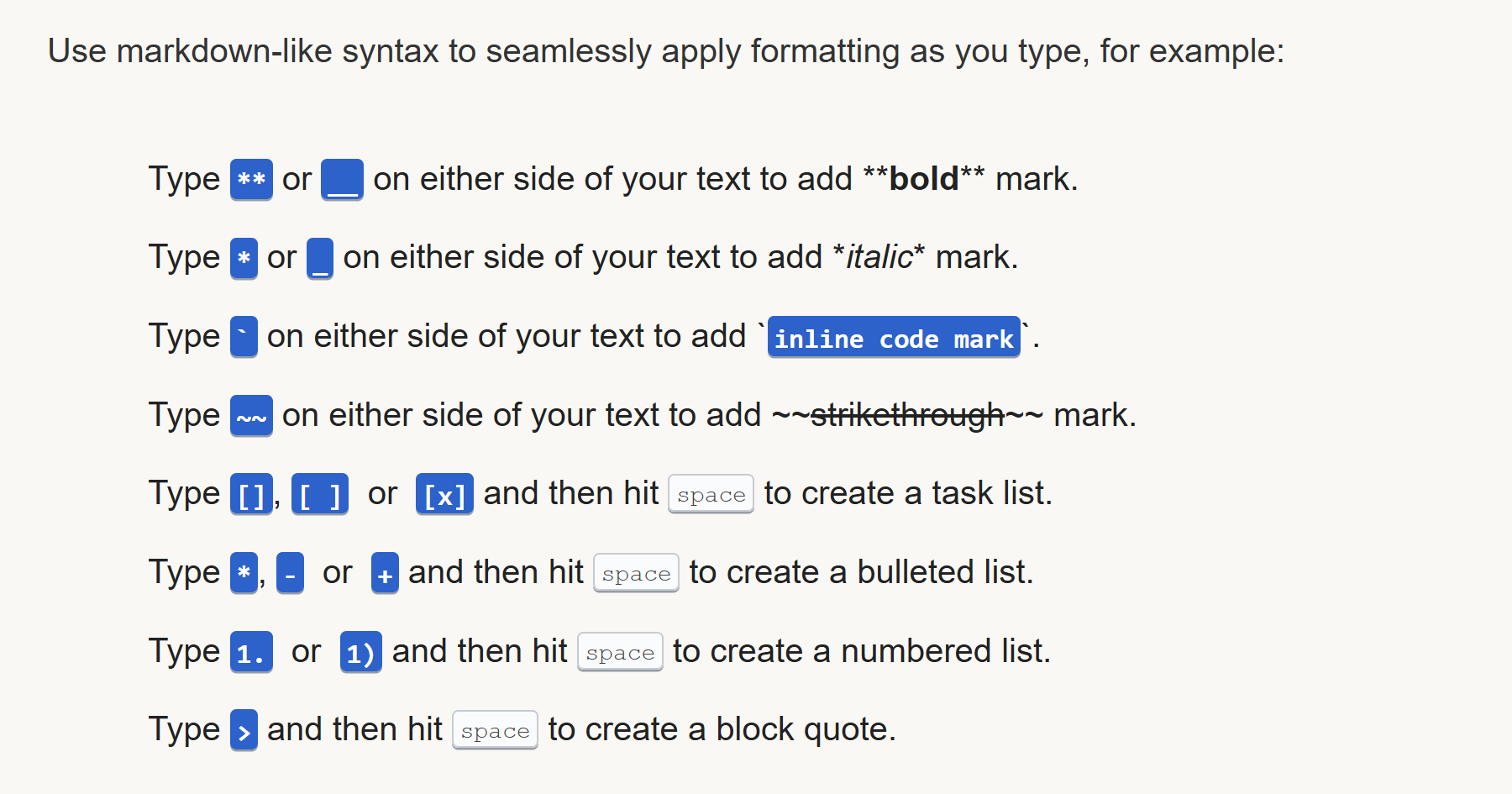
The snippet editor supports Markdown-like shortcuts that apply formatting automatically as you type — no toolbar needed.
While typing
Wrap your text with these characters to apply formatting inline:
| Type this | Result |
|---|---|
**text** or __text__ |
Bold |
*text* or _text_ |
Italic |
`text` |
Inline code |
~~text~~ |
At the beginning of a new line
Type the character(s) below and then press Space to transform the current line:
| Type this | Result |
|---|---|
*, -, or + + Space |
Bulleted list |
1. or 1) + Space |
Numbered list |
> + Space |
Block quote |
# + Space |
Heading 1 |
## + Space |
Heading 2 |
### + Space |
Heading 3 (and so on up to H6) |
--- or :line: |
Horizontal rule |
``` or :code: |
Code block |
Tip
Markdown shortcuts are the fastest way to structure a snippet without touching the toolbar. Type ## + Space to drop into a heading, or * + Space to start a list, and keep writing without breaking your flow.