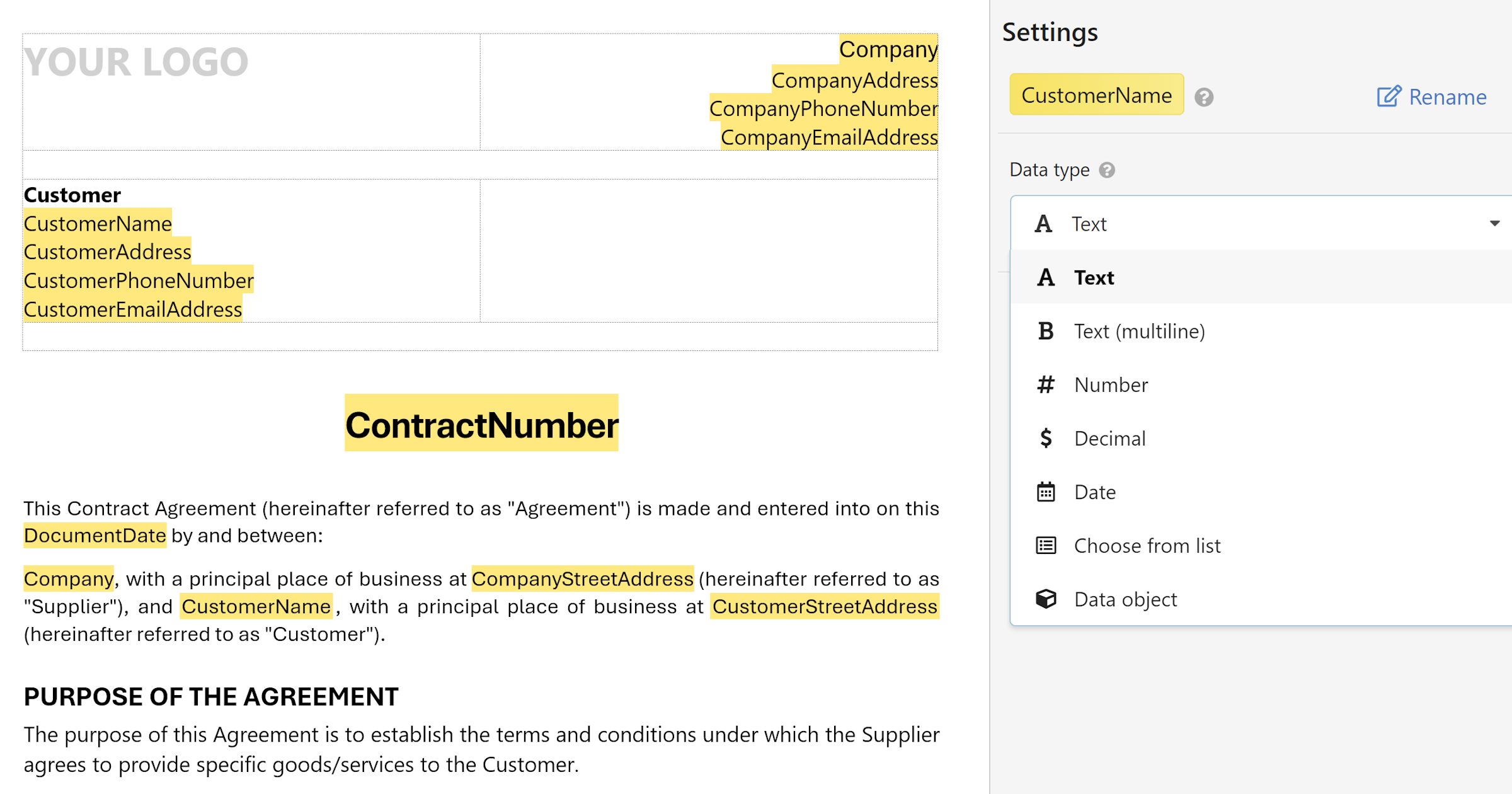
Templates let you turn any document you already use into a reusable form — so every new version is consistent, complete, and quick to produce.
Intro to templates
If your team regularly creates the same types of documents — contracts, invoices, offer letters, proposals — you've probably spent time copying an old version, hunting down the parts that need changing, and hoping nothing gets missed. Templates solve that.
A template is a document you've already written, turned into a reusable form. The structure, formatting, and standard text stay fixed. The parts that change — a client name, a date, a price — become fillable fields. Each time someone needs a new document, they fill out a short form and WordFields generates it instantly, with every field in the right place.
What you can use as a template
ny Word (.docx), Excel (.xlsx), or plain text file (Markdown, JSON, etc.) can become a template. Typical examples include:
- Contracts and service agreements
- Invoices and purchase orders
- HR documents like offer letters and performance reviews
- Business proposals and letters of intent
- Meeting agendas and project reports
If you've been reusing a document by editing copies of it, it's a good candidate for a template.
How it works
- You upload your document to WordFields.
- You mark the parts that change each time as fillable fields - by selecting text in the editor, or by highlighting them in yellow directly in Word before uploading.
- WordFields generates a form from those fields automatically.
- Anyone on your team fills out the form to create a new, complete document in seconds.
Note
The original formatting — fonts, tables, page layout — is always preserved. Only the field values you have marked change.
Before adding fields, you'll need a template set up in your workspace. Click + Create new in the left sidebar, select your template type, and upload your document. For a full walkthrough, see Create a template.